Why is My Laptop Battery Draining So Fast Suddenly

Have you noticed your laptop battery running out much faster than before? It can be frustrating when your device dies just as you need it most.
You might wonder, “Why is my laptop battery draining so fast suddenly? ” Understanding what’s causing this sudden drop can save you time and money. You’ll discover simple reasons behind the quick battery drain and easy fixes you can try right now.
Keep reading to take control of your laptop’s power and keep it running longer throughout your day.
Credit: www.reddit.com
Common Causes Of Rapid Battery Drain
Laptop batteries can drain fast for many reasons. Identifying the cause helps to fix the problem. Some issues are easy to solve. Others need more attention.
Understanding common causes of rapid battery drain saves time and frustration. This section explains key reasons your battery may run out quickly.
Background Apps And Processes
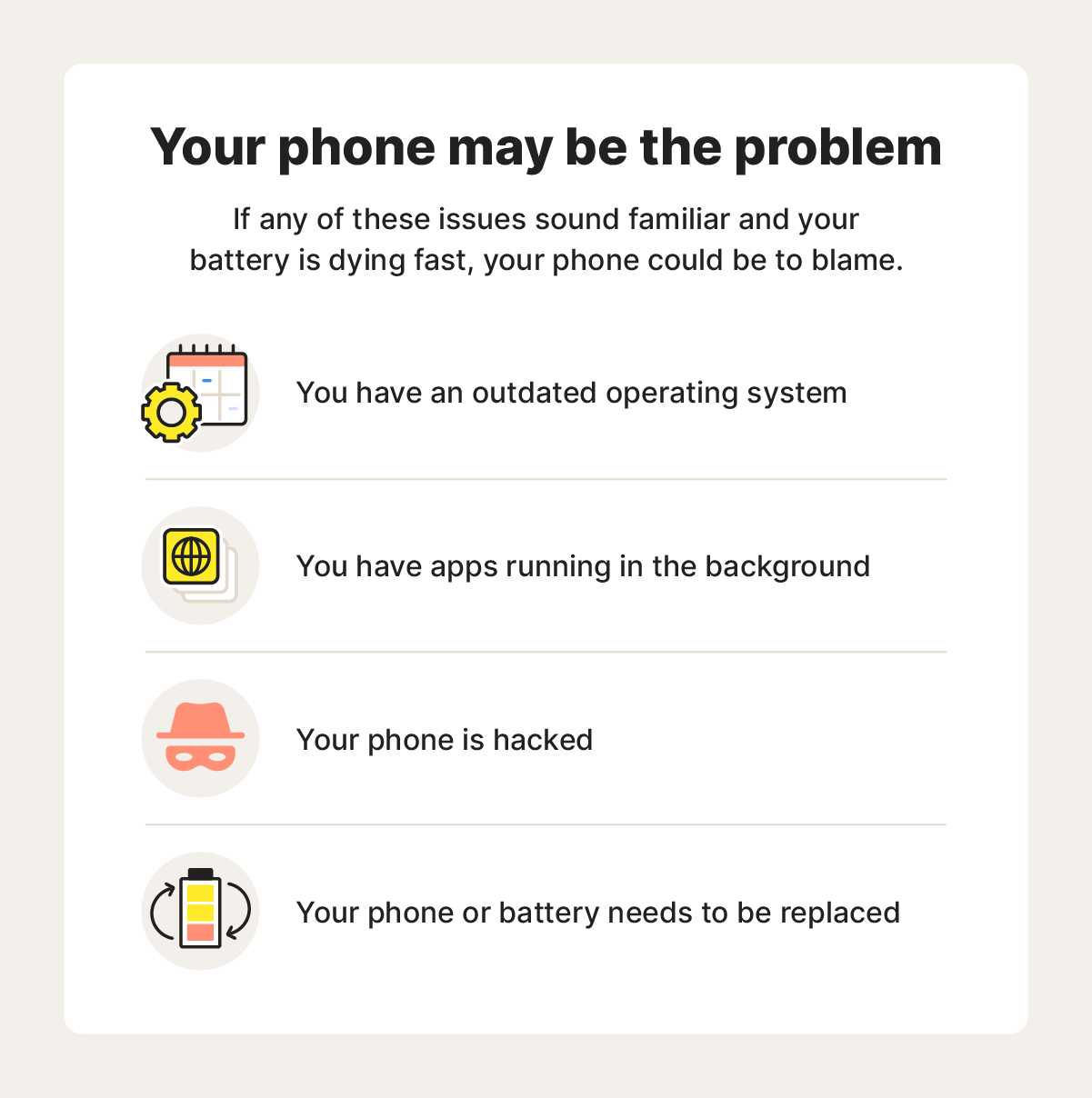
Many apps run in the background without your notice. These use CPU and memory, which consume battery power. Some apps update data or sync files constantly. Closing unused apps helps save battery life.
Screen Brightness And Display Settings
The screen uses the most battery on a laptop. High brightness drains power faster. Adjusting display settings to lower brightness reduces battery use. Turning off keyboard backlight also saves energy.
Battery Age And Health
Batteries lose capacity over time. An old battery holds less charge and drains faster. Checking battery health gives clues about its condition. Replacing an old battery can improve laptop run time.
Power-hungry Applications
Certain programs use more power than others. Video editing, games, and streaming apps drain battery quickly. Closing or limiting these apps extends battery life. Use lightweight software when possible.
Credit: au.norton.com
Software Issues Impacting Battery Life
Software problems can cause your laptop battery to drain quickly. Many apps and system processes use power without you noticing. Understanding these issues helps save battery life and improve performance.
Operating System Updates
Updates can change how your laptop uses power. Some updates add new features that need more battery. Others may have bugs causing high battery use. Check for updates that fix battery problems and install them quickly.
Malware And Viruses
Malware runs hidden tasks that use battery power. Viruses can make your laptop work harder than usual. Scanning your system with trusted antivirus software can find and remove these threats. Keeping your laptop safe helps save battery life.
Faulty Drivers
Drivers control hardware and software communication. Old or wrong drivers can cause battery drain. Updating drivers fixes bugs and improves battery use. Use official websites or tools to get the correct driver updates.
Hardware Factors Affecting Battery Performance
Hardware problems often cause laptop batteries to drain fast. These issues affect how the battery holds and uses power. Understanding these factors helps you find the right solution. Here are some common hardware reasons for quick battery drain.
Battery Wear And Tear
Batteries lose capacity over time. Each charge cycle reduces battery life. Older batteries hold less power and drain faster. This natural wear lowers performance. Replacing an old battery can improve battery life.
Faulty Charging Components
Damaged chargers or cables cause poor charging. A broken power adapter may not fill the battery fully. Loose or damaged charging ports also disrupt power flow. Check your charger and cable for damage. Using the right charger is important for good battery health.
Overheating Problems
Heat harms battery performance. Overheating happens from blocked vents or heavy use. High temperatures speed up battery wear and cause fast drain. Keep your laptop cool by cleaning vents and avoiding hot places. Proper cooling helps the battery last longer.
Settings That Drain Battery Quickly
Many laptop users face sudden battery drain. One common cause is certain settings that use more power than usual. These settings run in the background or keep the hardware active. Changing them can help your battery last longer.
Wi-fi And Bluetooth Usage
Wi-Fi and Bluetooth consume power even when not in use. Keeping them on drains battery quickly. Searching for networks or devices uses extra energy. Turn off Wi-Fi and Bluetooth if you don’t need them. This simple step saves battery life.
Background Sync And Notifications
Apps often sync data and send notifications constantly. This activity uses battery in the background. Many apps refresh data even when you are not using them. Disable background sync for apps that don’t need it. Limit notifications to reduce power use.
High-performance Power Plans
High-performance power plans make your laptop run faster. They use more power by keeping the CPU active. These plans drain battery faster than balanced or power saver modes. Switch to balanced or power saver mode to extend battery life.
Tips To Improve Laptop Battery Life
Battery life is a common worry for laptop users. Sudden fast draining can disrupt work and fun. Simple actions help stretch battery time. These tips improve your laptop’s power use and keep it running longer.
Optimizing Power Settings
Adjust your laptop’s power settings to save energy. Choose power-saving modes in system settings. Lower screen brightness to reduce battery use. Turn off keyboard backlight if not needed. Set the laptop to sleep after short inactivity. These small changes extend battery life significantly.
Closing Unnecessary Apps
Running many apps drains battery quickly. Close apps not in use to save power. Check background processes using Task Manager or Activity Monitor. Stop apps that consume high CPU or memory. This reduces workload and conserves battery energy.
Regular Battery Maintenance
Keep your battery healthy by regular care. Avoid letting it drain to zero often. Charge the laptop before it gets too low. Clean the charging port to ensure good contact. Update your laptop’s software for better battery management. Proper care keeps the battery lasting longer.
Credit: geneva-indoors.com
When To Replace Your Laptop Battery
Knowing when to replace your laptop battery saves time and frustration. A battery that drains fast may signal it’s time for a change. Not every drop in battery life means you need a new one. Some signs clearly show the battery is failing. Understanding these signs helps you act quickly and avoid sudden shutdowns.
Signs Of Battery Failure
The battery drains quickly, even after a full charge. Your laptop shuts down without warning, even with some battery left. The battery does not charge past a low percentage, like 40% or 50%. The laptop runs slower or feels hotter than usual. Sometimes, the battery warning messages pop up often. These signs point to a battery that no longer holds power well.
Battery Replacement Options
Buy an original battery from your laptop brand for best performance. Check trusted sellers for compatible batteries if originals are expensive. Consider professional replacement services to avoid damage during installation. Some laptops have user-replaceable batteries, making the process easy. Always dispose of old batteries properly to protect the environment. Replacing the battery improves your laptop’s life and portability.
Frequently Asked Questions
Why Is My Laptop Battery Draining Quickly All Of A Sudden?
Battery drain can be due to background apps, high screen brightness, or outdated software. Malware or a failing battery can also cause rapid discharge. Check battery health and close unnecessary apps to improve life.
Can Software Updates Cause Faster Battery Drain?
Yes, some updates increase power usage by adding features or running background tasks. Always update drivers and optimize settings after updates to minimize battery drain.
How Do I Check Which Apps Drain My Battery Fastest?
Use built-in battery usage tools in Windows or macOS. These tools show apps consuming the most power, helping you identify and close or uninstall heavy users.
Does Screen Brightness Impact Laptop Battery Life?
Yes, higher screen brightness consumes significantly more battery power. Reducing brightness to a comfortable level can extend battery life by hours.
Conclusion
A fast-draining laptop battery can cause real trouble. Many factors affect battery life, like apps running in the background or screen brightness. Regular checks and simple fixes can help save power. Keep your software updated and close unused programs. Battery health also matters; old batteries lose charge quickly.
Small steps can make your laptop last longer each day. Stay aware and act early to avoid sudden battery drain. Your laptop will thank you with better performance and longer use.