Why Does App Drain Battery So Fast

Have you ever noticed your phone’s battery dropping way faster than it should? You’re not alone.
That app you use all the time might be the real culprit behind your phone running out of power quickly. But why does an app drain your battery so fast? Understanding this can save you from constant charging and frustration.
Keep reading to discover the surprising reasons behind battery drain and how you can fix it to get the most out of your device every day.
Common Causes Of Fast Battery Drain
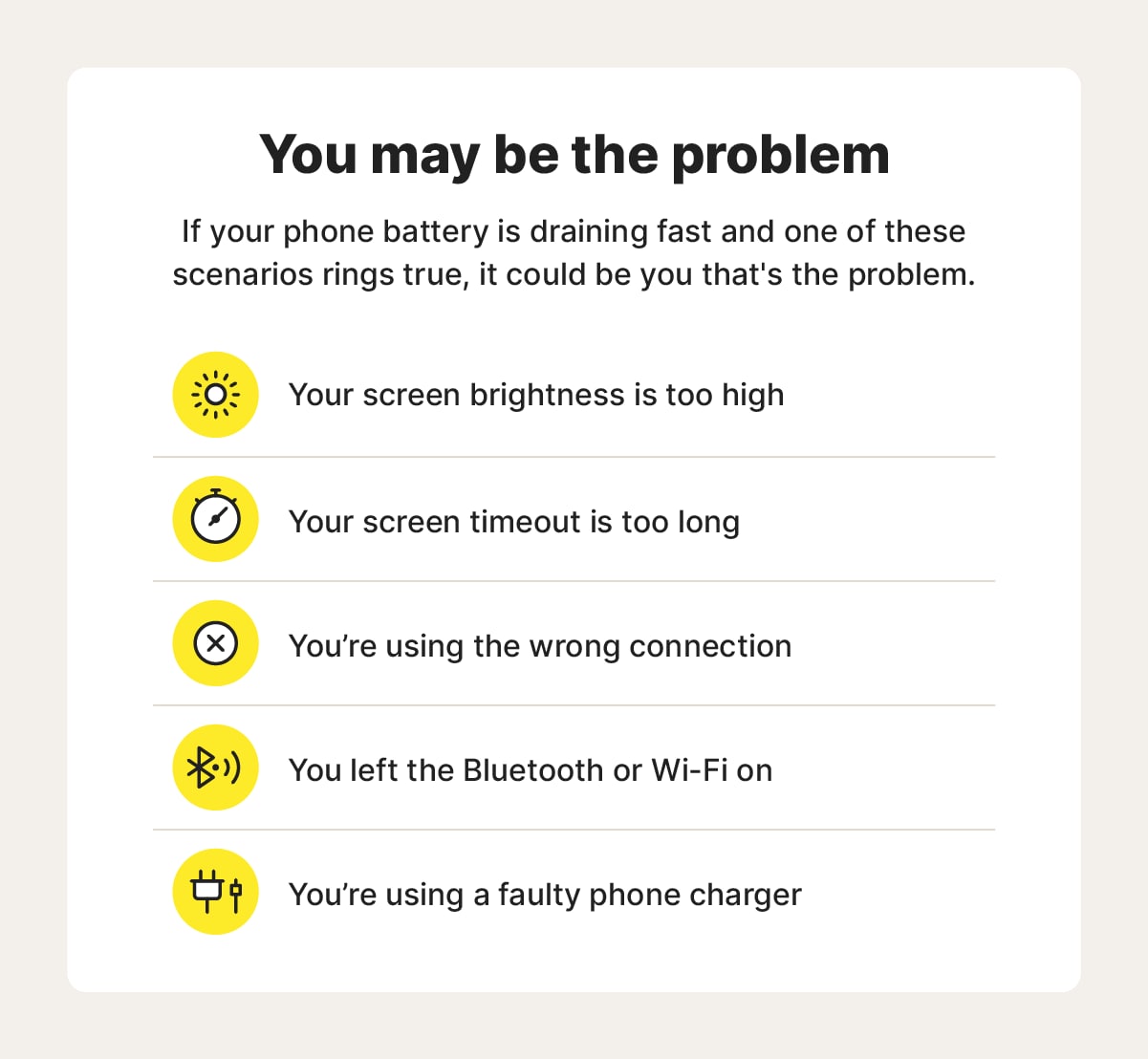
Many apps drain battery quickly due to certain common reasons. Knowing these causes helps you manage battery life better. Some apps use more power than others, even when not open. Several hidden activities run in the background and consume energy.
High Background Activity
Some apps keep running tasks in the background. They update data or sync information constantly. This constant work uses battery power without your notice. Apps like social media or email clients often do this.
Frequent Location Access
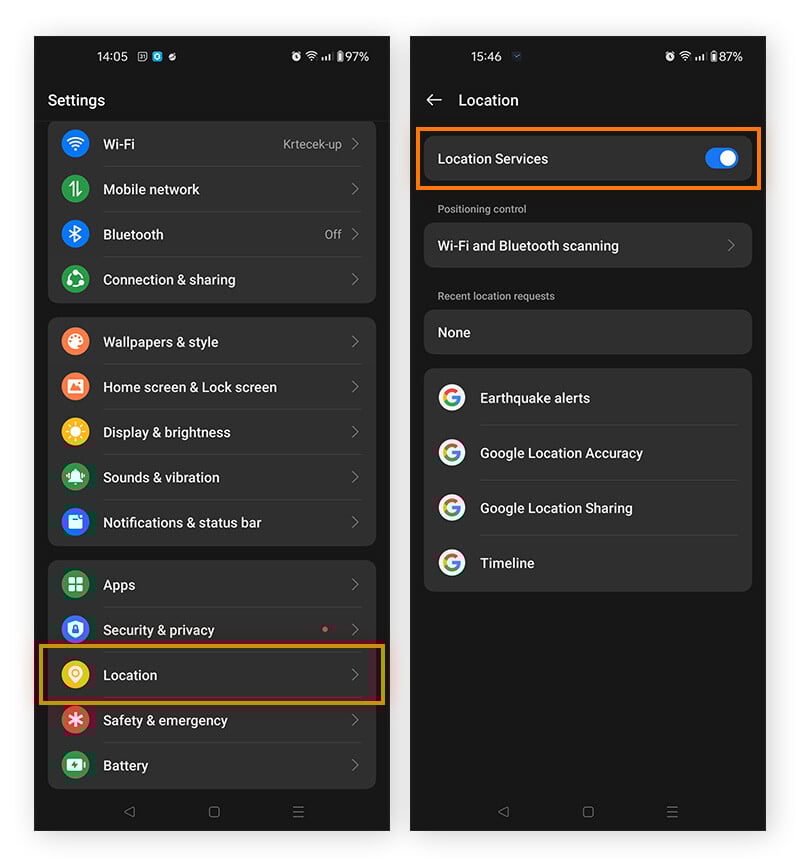
Apps that use GPS or location services drain battery fast. They track your position often, even when not in use. Location tracking needs more power than regular app functions. Maps and fitness apps are common examples.
Excessive Notifications
Apps that send many notifications use more battery. Each alert wakes your device briefly, using energy. Frequent notifications can drain battery without active use. Messaging and news apps usually cause this.
Power-hungry Features
Some app features require more battery power. Video streaming, augmented reality, and games use heavy resources. Using these features for a long time drains battery fast. These apps demand more from your device’s hardware.
Credit: uk.norton.com
Impact Of App Design On Battery Life
App design plays a major role in battery consumption. How an app is built can make a big difference in how fast it drains your battery. Poor design choices often lead to more battery use than necessary. Understanding these design factors helps explain why some apps kill battery life quickly.
Inefficient Coding Practices
Bad coding uses more processing power. This makes the app run longer and harder. The CPU stays active, burning more battery. Simple tasks take more energy due to poor code. Efficient coding keeps the app light and fast. This reduces battery drain significantly.
Poor Resource Management
Apps that don’t manage resources well waste battery. They keep using memory and data even when not needed. Background tasks that run nonstop drain power quickly. Stopping unused processes saves battery life. Good apps pause or stop work when idle.
Heavy Graphics And Animations
Bright colors, complex images, and smooth animations use more energy. They require the processor and screen to work harder. This pushes battery use higher than simple designs. Reducing graphics and animation lowers battery consumption. Apps with minimal visual effects last longer on a charge.
Device Factors Affecting Battery Drain
Many factors inside your device affect battery life. Understanding these helps explain why apps use power fast. Device age, software, and settings all play roles. Each part can cause the battery to drain quickly.
Older Battery Health
Batteries lose capacity over time. An older battery holds less charge than a new one. It drains faster during normal use. Apps may seem to consume more power because the battery is weak. Replacing the battery can improve battery life.
Software Updates And Compatibility
New software can improve or worsen battery use. Some updates fix bugs that cause battery drain. Others add features that use more power. Old devices may not run new software well. This mismatch leads to faster battery drain.
Device Settings Interaction
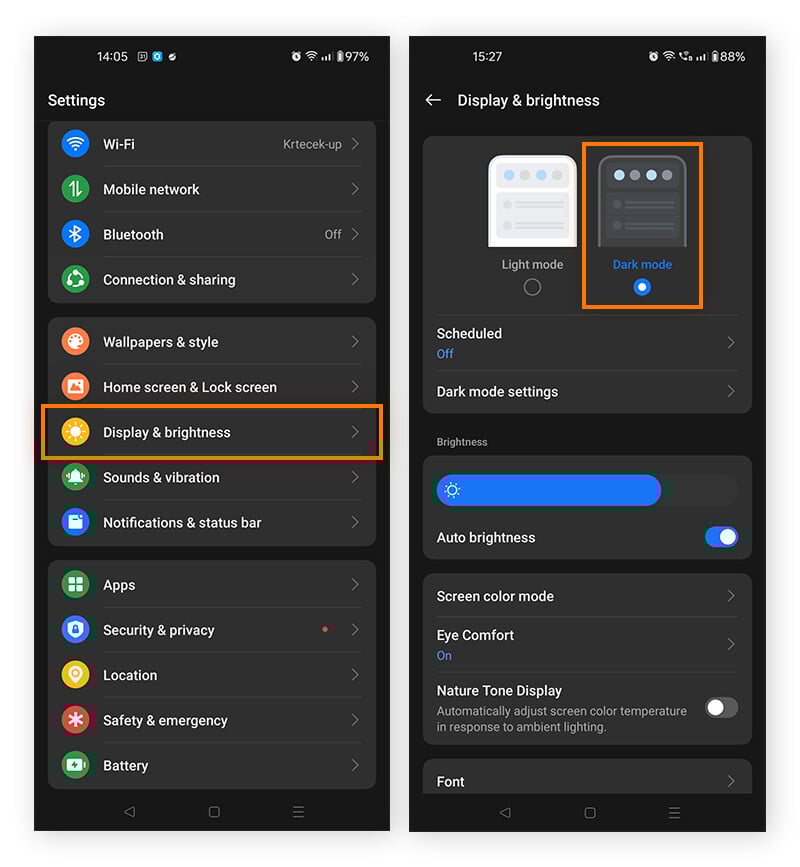
Settings impact how fast your battery drains. Bright screen, location services, and background app refresh use more power. Turning off unused features saves battery. Some apps work harder depending on your settings. Adjusting settings can extend battery life.
How To Identify Battery-draining Apps
Apps can use much battery power. Knowing which apps drain your battery fast helps save power. You can find these apps using tools on your phone or special apps. This saves your battery and makes your phone last longer.
Using Built-in Battery Usage Tools
Most phones have a built-in feature to show battery use. You can see which apps use the most power. On iPhones, go to Settings > Battery. On Android, open Settings > Battery > Battery Usage. This list shows apps using the most battery. You can stop or limit apps that drain too much power.
Third-party Monitoring Apps
Special apps can track battery use in detail. These apps give more info than built-in tools. They show app activity and background use. Some apps alert you when battery use is high. They help find hidden battery drainers. Choose apps with good reviews and simple design.
Tips To Reduce App Battery Usage
Apps can drain your phone’s battery quickly. Many apps run in the background or use more power than needed. Reducing battery usage helps your phone last longer throughout the day. Simple steps can make a big difference.
Limiting Background Activity
Apps often run tasks in the background. This uses battery even when you don’t use the app. You can stop apps from running in the background. Go to your phone settings and find background activity options. Turn off or limit background use for apps that consume too much power.
Adjusting Permissions
Some apps ask for many permissions. These include location, camera, or microphone access. Unnecessary permissions can cause apps to use more battery. Review app permissions regularly. Remove access for features the app does not need. This helps reduce battery drain and protects your privacy.
Optimizing App Settings
Many apps have settings to save battery. Lower screen brightness or disable notifications in the app. Turn off auto-refresh or background data sync if possible. Use app features that require less power. Small changes in settings can reduce battery use significantly.
Keeping Apps Updated
App developers often improve battery usage in updates. Old versions may have bugs that use more power. Check for app updates regularly. Updating apps can fix issues and improve efficiency. This keeps your battery lasting longer each day.
Credit: www.avast.com
Credit: www.avast.com
Frequently Asked Questions
Why Does My App Drain Battery Quickly?
Apps drain battery quickly due to high CPU usage, frequent background activity, or constant location tracking. Poorly optimized apps consume more power by running unnecessary processes or using excessive data, causing faster battery depletion.
How Do Background Apps Affect Battery Life?
Background apps continuously run tasks and refresh data, increasing battery consumption. Even if not actively used, they use resources like CPU and network, leading to faster battery drain.
Can App Updates Improve Battery Performance?
Yes, app updates often fix bugs and optimize performance. Updated apps use less power by reducing background activity and improving efficiency, which helps extend battery life.
Does Location Tracking Cause Fast Battery Drain?
Constant GPS use by apps significantly drains battery as it requires continuous power. Disabling location services for non-essential apps can help conserve battery life.
Conclusion
Apps drain battery fast because they run many tasks nonstop. Some apps use location, data, and screen time heavily. Background activity also makes your phone work harder. Limiting app use and closing unused apps helps save power. Checking app settings can reduce battery use too.
Keeping your phone updated improves battery life. Small changes make a big difference daily. Understanding why apps drain battery helps you manage power better. Simple steps keep your phone lasting longer each day.