Why is My Router Restarting by Itself

Is your router restarting by itself, leaving you with a spotty internet connection and constant frustration? You’re not alone, and it’s more common than you might think.
When your router keeps rebooting without warning, it can disrupt your work, streaming, and online gaming. But why does this happen? Understanding the reasons behind these unexpected restarts can help you fix the issue quickly and get your internet back on track.
Keep reading to discover the most common causes and simple solutions to stop your router from restarting on its own.
Credit: www.alibaba.com
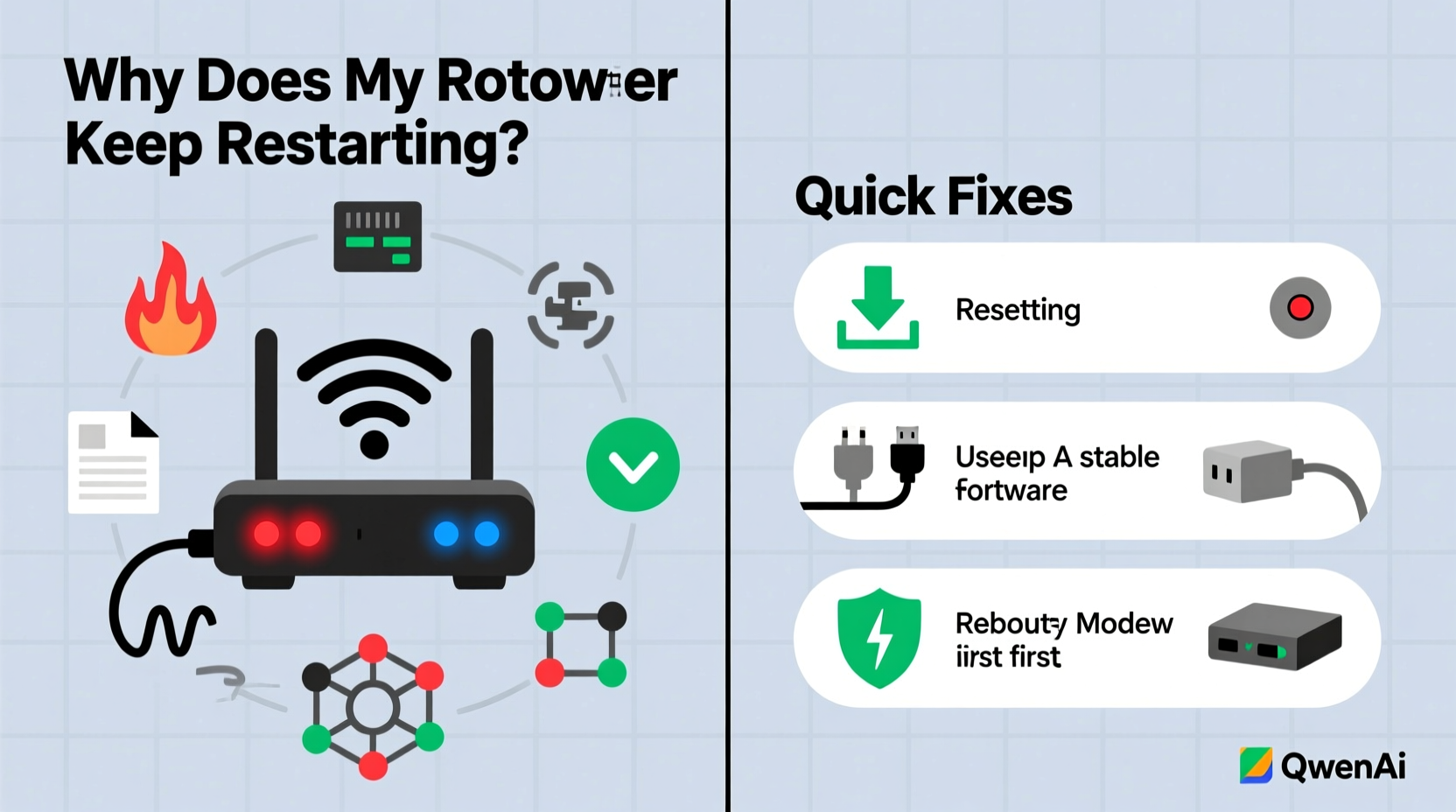
Common Causes
Routers restarting by themselves can be frustrating. This issue often happens due to a few common causes. Understanding these causes helps in fixing the problem quickly. Below are some main reasons why your router might restart without warning.
Power Supply Issues
Power problems are a frequent cause of router restarts. A loose cable or faulty power adapter can interrupt the power flow. Sudden power surges or outages may also cause the router to reboot. Using a stable power source and checking cables can prevent this issue.
Overheating Problems
Routers generate heat during operation. If airflow is poor, the device can overheat. High temperatures trigger automatic restarts to protect internal parts. Placing the router in a cool, open space helps reduce overheating. Dust buildup inside the router can also block vents and cause heat issues.
Firmware Glitches
Firmware controls how the router works. Bugs or errors in firmware can cause random restarts. Outdated firmware may lack important fixes and improvements. Regularly updating the router’s software can solve many restart problems. Sometimes, a reset to factory settings clears glitches.
Network Traffic Overload
Heavy internet use puts strain on the router’s processor. Too many devices connected or large data transfers can overload it. The router may restart to handle this stress. Limiting connected devices or upgrading to a stronger model can help maintain stability.

Credit: www.youtube.com
Hardware Problems
Hardware problems often cause routers to restart by themselves. These issues affect the device’s ability to work properly. Small defects can lead to frequent restarts and slow internet. Checking hardware is key to fixing the problem quickly.
Faulty Router Components
Inside the router, parts can wear out or break. A damaged processor or memory chip may cause restarts. Overheating parts also trigger automatic resets. Dust or poor ventilation increases heat and damages components. Replacing faulty parts often stops the restarts.
Damaged Cables And Ports
Broken or loose cables can interrupt power or data flow. This interruption may cause the router to reboot unexpectedly. Bent or dirty ports also create connection problems. Inspect cables for cuts and replace if needed. Clean ports gently to ensure a good fit and steady connection.
Software And Firmware
Software and firmware play a big role in your router’s performance. They control how the router works and handles data. Problems in software or firmware can cause the router to restart on its own. Understanding these issues helps keep your internet stable and fast.
Outdated Firmware
Firmware is the built-in software in your router. It needs updates to fix bugs and improve security. Old firmware may not work well with new devices or settings. This can cause the router to restart randomly. Check the manufacturer’s website for the latest firmware version. Updating it can stop unexpected restarts.
Corrupted Software
Sometimes, software files in the router get damaged. This corruption can happen after a failed update or power cut. Corrupted software causes the router to behave strangely. It may restart frequently to try fixing itself. Resetting the router or reinstalling firmware can fix corrupted software problems.
Automatic Updates
Many routers have automatic updates turned on. These updates install new software or firmware versions. While useful, updates may cause the router to restart during installation. If updates fail or conflict with existing settings, restarts can happen more often. Monitoring update settings helps prevent sudden router restarts.

Credit: www.reddit.com
External Factors
External factors can cause your router to restart by itself. These outside issues often disrupt the normal function of your device. Understanding these factors can help you fix the problem quickly. Two major external causes are electrical interference and ISP service issues.
Electrical Interference
Electrical interference occurs when other devices affect your router’s signal. Household items like microwaves, cordless phones, and baby monitors can cause this problem. These devices emit signals that overlap with your router’s frequency. This overlap can make your router unstable and cause it to restart. Keeping your router away from such devices may reduce interference. Using a different Wi-Fi channel can also help improve stability.
Isp Service Issues
Your internet service provider (ISP) may sometimes cause router restarts. Network maintenance or technical problems on their side can disrupt your connection. These issues can lead to frequent drops or restarts of your router. Contacting your ISP for updates can clarify if they have ongoing problems. They may also provide solutions or schedule repairs to fix the issue.
Troubleshooting Steps
Router restarting by itself can disrupt your internet connection. Finding the cause helps fix the issue fast. Follow these troubleshooting steps to solve the problem.
Each step targets common reasons for automatic restarts. Check them carefully for the best results.
Check Power And Connections
Ensure the power cable is firmly plugged into your router. Loose or damaged cables cause sudden restarts. Also, check the power outlet by testing another device. Avoid using power strips with many devices connected. Replace any faulty cables to keep power stable.
Update Firmware
Router firmware controls its functions and security. Outdated firmware can cause crashes and restarts. Log in to your router’s admin page. Look for firmware update options and follow instructions. Keep firmware updated to improve performance and stability.
Reset Router Settings
Incorrect settings might cause your router to restart. Resetting to factory defaults can clear errors. Find the reset button on the device. Hold it for about 10 seconds until lights blink. Reconfigure your network settings after reset.
Monitor Network Traffic
High traffic or unusual activity can overload your router. Use the router’s admin page to check connected devices. Disconnect unknown or unnecessary devices. Limit heavy downloads or streaming during peak times. This reduces stress on your router and prevents restarts.
When To Replace Your Router
Knowing when to replace your router is important. A router that restarts by itself can cause many problems. It might slow down your internet or stop working altogether. Sometimes, the issue is easy to fix. Other times, the router is too old or damaged. This section helps you decide if it is time to get a new router.
Signs Of Permanent Damage
Look for unusual signs that show your router might be broken. Constant restarting is one sign. Overheating is another. If the router feels very hot to touch, it may have internal damage. Also, check for physical damage like cracks or broken ports. If your router loses connection often, it could be a sign of permanent damage. These signs mean repair might not work well.
Considering Router Age
Think about how old your router is. Most routers last about 3 to 5 years. Older routers may not support new internet speeds. They might not work well with modern devices. Firmware updates stop after a few years. Without updates, your router can have security risks. If your router is old and restarting often, replacing it is a smart choice.
Frequently Asked Questions
Why Does My Router Keep Restarting Randomly?
Your router may restart due to overheating, firmware issues, or power supply problems. Check for updates, clean vents, and ensure a stable power source.
Can Outdated Firmware Cause Router Restarts?
Yes, outdated firmware can cause instability and frequent restarts. Regularly update your router’s firmware to fix bugs and improve performance.
Does A Faulty Power Adapter Cause Router Rebooting?
A faulty or incompatible power adapter can cause your router to reboot unexpectedly. Always use the original adapter or a compatible replacement.
How Does Overheating Affect Router Performance?
Overheating can trigger automatic restarts to protect internal components. Ensure your router is well-ventilated and placed away from heat sources.
Conclusion
A router restarting on its own can be annoying and slow down your internet. Common causes include overheating, outdated firmware, or bad power supply. Fixing these issues usually stops the restarts. Keep your router cool and update its software regularly.
Check cables and power sources for problems too. Small steps can improve your internet experience a lot. Stay patient and try simple fixes first. Your internet will become more stable and reliable soon.