Why is My Laptop Slow Even After Reset

Is your laptop still slow even after a full reset? You did everything right—wiped it clean, started fresh—but it feels like nothing has changed.
Frustrating, isn’t it? You expect a reset to fix all the lag and delays, but sometimes the problem runs deeper. Understanding why your laptop remains sluggish can save you time, money, and endless headaches. Keep reading to discover the surprising reasons behind this issue and what you can do to make your laptop run fast again.
Common Causes Of Slow Laptops
Many users reset their laptops hoping to fix slow performance. Sometimes, the speed does not improve. Several common issues cause laptops to remain slow even after a reset. Understanding these causes helps find the right fix quickly.
Hardware Limitations
Older laptops may have weak processors or little memory. These parts limit how fast programs run. A slow hard drive also reduces speed. Upgrading hardware can improve performance.
Background Processes
Some programs run silently in the background. They use CPU and memory without you noticing. Too many background tasks slow down your laptop. Managing startup programs helps reduce this load.
Malware And Viruses
Malware harms your laptop’s health and speed. Viruses use resources and block normal functions. Some malware hides from basic scans. Running a deep antivirus scan is crucial.
Outdated Drivers
Drivers help your laptop communicate with hardware. Old or broken drivers cause errors and slowdowns. Updating drivers keeps your system smooth and fast. Check for updates regularly to avoid issues.

Credit: www.fortect.com
Resetting Your Laptop Explained
Resetting your laptop can seem like a quick fix for slow performance. Many expect it to solve all problems. Understanding what resetting means helps set the right expectations. It’s not always a full cure for every issue. Let’s explore what happens during a reset.
Types Of Resets
There are different ways to reset a laptop. A soft reset restarts the computer without deleting files. It clears temporary files and closes apps. A hard reset, or factory reset, erases all data. It restores the laptop to its original state. Some laptops offer a “refresh” option. This keeps personal files but reinstalls system files. Each reset type serves a different purpose.
What A Reset Does And Doesn’t Fix
A reset removes software problems like viruses or corrupted files. It deletes apps that slow down the system. It also clears settings that cause errors. It does not fix hardware issues like a failing hard drive. Resetting won’t speed up an old or weak processor. It cannot recover lost files unless backed up. Knowing these limits helps avoid frustration after a reset.
Hardware Issues Impacting Speed
Hardware problems can slow down your laptop, even after a reset. These issues affect how fast your computer runs. Some parts may not work well or may be too old. This causes delays and slow performance. Understanding these problems helps you fix the speed issues.
Insufficient Ram
RAM is the memory your laptop uses to run programs. Too little RAM makes the computer slow. It cannot handle many tasks at once. This causes freezing and delays. Upgrading RAM often boosts speed quickly. Check your laptop’s RAM size and usage.
Failing Hard Drive
A hard drive stores all your files and software. If it is damaged or old, it slows down data access. This makes opening programs and files take longer. Hard drives can develop bad sectors or mechanical faults. Replacing the hard drive with a solid-state drive (SSD) improves speed a lot.
Overheating Components
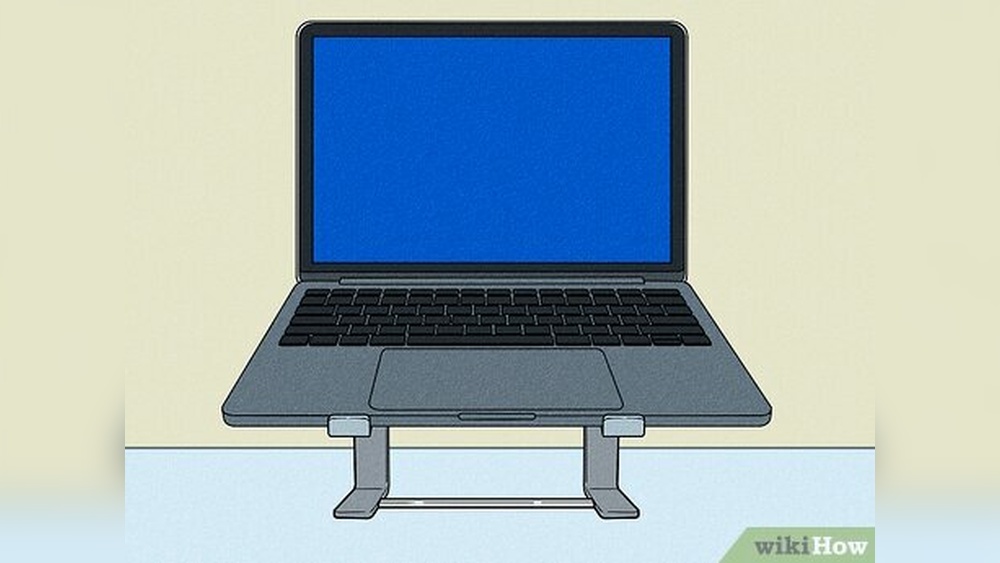
Overheating can cause your laptop to slow down. When parts get too hot, the system lowers speed to cool down. Dust and blocked vents often cause overheating. Clean the fans and vents regularly. Using a cooling pad can help keep temperatures low.
Software Factors Slowing Down Performance
Software plays a big role in your laptop’s speed. Even after a reset, some software issues can slow it down. These problems often come from programs, updates, or conflicts inside the system. Understanding these factors helps you fix the slow performance.
Startup Programs
Many programs start automatically when you turn on your laptop. Too many startup programs use a lot of memory and CPU power. This slows down the system right from the start. Disabling unnecessary startup programs can speed up your laptop.
Operating System Updates
Updates keep your system safe and running well. Sometimes, updates run in the background and slow down your laptop. Also, if updates are missing, your laptop may not work efficiently. Regularly check and install updates to maintain good speed.
Software Conflicts
Different programs can clash with each other. These conflicts cause errors and slow performance. Old or incompatible software may not work well after a reset. Removing or updating conflicting software can improve your laptop’s speed.
Checking For Malware After Reset
Resetting your laptop often feels like a fresh start. But sometimes, the speed stays slow. One hidden reason could be malware. Malware can hide deep in your system. It might survive a reset or sneak back in afterward. Checking for malware after a reset is key. It helps find and remove threats that slow down your laptop.
Scanning Tools
Use trusted scanning tools to find malware. Windows Defender is built-in and easy to use. Other options include Malwarebytes and Avast. These tools scan your system for viruses and spyware. Run a full scan, not just a quick one. Full scans check every file and folder. Scanning takes time but is worth it. It detects hidden threats that affect speed and security.
Removing Persistent Threats
Some malware can survive normal scans. Persistent threats need special attention. Use advanced malware removal tools if needed. Boot your laptop in safe mode first. Safe mode stops many malware from running. Then run scans again to catch stubborn infections. Delete or quarantine any detected malware. Keep your antivirus updated to prevent new threats. Persistent malware can block updates and slow your laptop.
Optimizing Laptop Speed Post-reset
Resetting a laptop often feels like a fresh start. Yet, speed issues may persist after the reset. Optimizing your laptop’s speed post-reset helps improve performance. Small changes can make a big difference. Focus on key areas that affect speed and responsiveness.
Updating Drivers And Software
Outdated drivers slow down your laptop. Drivers connect hardware to software. They need to be current for smooth operation. Check for updates regularly. Update your operating system and installed programs too. New versions fix bugs and improve speed. Keep everything up to date to avoid delays.
Managing Startup Items
Many programs start automatically when you turn on your laptop. Too many startup items can slow down boot time. Disable unnecessary programs from launching at startup. This frees up system resources. Access the startup manager to review and adjust these items. A clean startup improves overall speed.
Cleaning Temporary Files
Temporary files build up over time. They take up space and slow your laptop. Use built-in tools or third-party apps to remove these files. Deleting cache and junk files helps speed up your system. Regular cleaning maintains better laptop performance.
When To Upgrade Hardware
Resetting your laptop can fix many software problems. Yet, slow performance might still happen. This often means your hardware can no longer keep up. Knowing when to upgrade hardware helps your laptop run smoothly. Hardware upgrades give your system a fresh start and better speed.
Adding More Ram
RAM helps your laptop work with many tasks at once. Low RAM makes programs slow or freeze. If your laptop feels sluggish during simple tasks, more RAM can help. Upgrading RAM is often easy and affordable. It lets your laptop handle more apps and data without lagging.
Switching To Ssd
Most old laptops use a hard disk drive (HDD). HDDs are slower and can cause delays. An SSD (solid-state drive) works much faster. It loads files and programs quickly. Changing to an SSD improves boot time and app speed. This upgrade makes a big difference in how fast your laptop feels.
Replacing Battery Or Cooling System
A weak battery can slow your laptop when unplugged. The cooling system stops your laptop from overheating. Overheating reduces speed and can cause crashes. Replacing old batteries or fixing fans helps keep your laptop cool. This prevents slowdowns caused by heat and power issues.

Credit: www.intego.com

Credit: www.hp.com
Frequently Asked Questions
Why Is My Laptop Still Slow After A Reset?
A reset removes most software issues but not hardware problems. Slow speed can be due to outdated drivers, insufficient RAM, or a failing hard drive. Check these components after resetting to identify the root cause.
Can Background Apps Cause Slow Laptop Performance Post-reset?
Yes, some apps may auto-start after a reset, consuming CPU and memory. Disable unnecessary startup programs to improve speed. Use Task Manager to manage these apps and boost performance.
Does A Virus Affect Laptop Speed After Reset?
If the reset was thorough, viruses are unlikely. However, some malware can survive or reinstall via backups. Run a full antivirus scan to ensure your system is clean.
Is Insufficient Ram Why My Laptop Is Slow After Reset?
Low RAM limits multitasking and slows performance, even after a reset. Consider upgrading your RAM if your laptop struggles with basic tasks or multiple applications.
Conclusion
A slow laptop after a reset can still have hidden issues. Check for outdated drivers or software conflicts. Malware might also cause delays. Sometimes, hardware problems slow down your device. Regular updates and cleaning help keep it fast. Keep an eye on your laptop’s performance often.
Simple fixes can make a big difference. Don’t ignore small signs of trouble. Stay patient and troubleshoot step by step. Your laptop can run smoothly again with care.