Why Does My Phone Get Hot When Using Apps

Have you ever noticed your phone getting uncomfortably hot while you’re just using your favorite apps? It’s frustrating, and you might worry if something is wrong with your device.
But why does this happen? Understanding why your phone heats up can help you avoid damage and keep your device running smoothly. You’ll discover the real reasons behind your phone’s heat and learn simple tips to stop it from happening.
Keep reading to protect your phone and enjoy a cooler, faster experience.
Credit: us.norton.com
Common Causes Of Phone Heating
Many phones heat up during app use. This happens for several common reasons. Understanding these causes helps you manage phone temperature better. Here are the main reasons your phone might get hot.
High Cpu Usage
Apps that need a lot of power make the CPU work hard. The CPU is the brain of your phone. When it runs many tasks, it creates heat. Games, video editors, and heavy apps often cause high CPU usage. This makes your phone warm quickly.
Background App Activity
Some apps keep running even when you do not use them. They update data or send notifications constantly. This background activity uses power and heats the phone. Too many apps running at once increase this effect. Closing unused apps helps reduce phone heat.
Screen Brightness And Display
The phone’s screen uses much energy, especially if very bright. High brightness makes the phone’s display work harder. Using the phone in bright light often leads to more heat. Lowering brightness saves battery and keeps the phone cool.
Network Connectivity Issues
Poor network signals force the phone to try harder to connect. This uses more power and causes the phone to heat up. Weak Wi-Fi or mobile data signals make this problem worse. Staying in areas with good signal can reduce heating.
Impact Of Specific Apps On Temperature
Certain apps use more power and make your phone hot. The type of app affects how much heat your phone produces. Some apps need more processing power and keep the phone busy for a long time.
This causes the device to warm up as it works harder to run these apps smoothly. Let’s see how different apps impact your phone’s temperature.
Games And Graphics-intensive Apps
Games with high-quality graphics use a lot of the phone’s CPU and GPU. This makes the phone work harder and generate more heat. These apps also use more battery, which adds to the heat. Playing for a long time raises the temperature even more.
Streaming And Video Apps
Streaming videos needs constant internet and screen use. The phone processes data non-stop to keep the video playing. This continuous activity causes the phone to heat up. Watching in high resolution uses more power and makes the phone warmer.
Social Media And Messaging Apps
Social media apps often run in the background. They update feeds and send notifications regularly. This background activity uses the phone’s resources and can cause heat. Video calls or live streaming within these apps increase the temperature faster.
Hardware Factors Affecting Heat
Hardware plays a big role in how hot your phone gets while using apps. Many parts inside your phone work hard and create heat. Some parts handle more power, which makes them warmer. Understanding these hardware factors helps you know why your phone heats up.
Different hardware components create different amounts of heat. Some pieces wear out over time, causing more heat. Also, how your phone is built affects heat release. Let’s explore the key hardware factors that affect your phone’s temperature.
Battery Health And Age
The battery produces heat when charging or discharging. Older batteries lose efficiency and create extra heat. A worn-out battery may overheat faster. Poor battery health reduces phone performance and causes warmth. Keeping your battery healthy helps control heat levels.
Processor And Chipset Design
The processor is the brain of your phone. It handles all tasks and uses power. More powerful processors generate more heat. Some chipsets are made to manage heat better. Efficient designs keep phones cooler during heavy use. Intense apps push the processor harder, raising temperature.
Phone Case And Ventilation
A phone case can trap heat inside the device. Thick or non-breathable cases reduce airflow. Poor ventilation stops heat from escaping. This makes your phone feel hotter during use. Choosing a case with better airflow helps lower heat. Removing the case can also cool your phone.
Environmental Influences On Phone Temperature
Environmental factors play a big role in your phone’s temperature. The place where you use your phone affects how hot it gets. Heat from the environment adds extra stress to your device. This makes the phone work harder to stay cool.
These conditions can make your phone warm, even if the apps are not heavy. Understanding these influences helps you keep your phone cooler. Let’s explore the main environmental causes of phone heat.
Ambient Temperature
The air temperature around you impacts your phone’s heat. Hot weather means the phone has less chance to cool down. Warm air slows the heat from the phone escaping. This causes the phone to heat up quickly.
Using your phone in a cool room helps keep it safe. Cold air helps the device stay at a stable temperature.
Direct Sunlight Exposure
Sunlight adds strong heat to your phone. Leaving your phone in direct sun can cause it to get very hot. The screen and case absorb sunlight and increase device temperature. This can cause the phone to slow down or stop working.
Shade and indoor use protect your phone from sun heat. Avoid placing your phone on windowsills or dashboards.
Charging Conditions
Charging your phone creates extra heat. This is normal but can add to environmental heat. Charging in a hot place makes the phone warmer. Using fast chargers or wireless charging can increase temperature more.
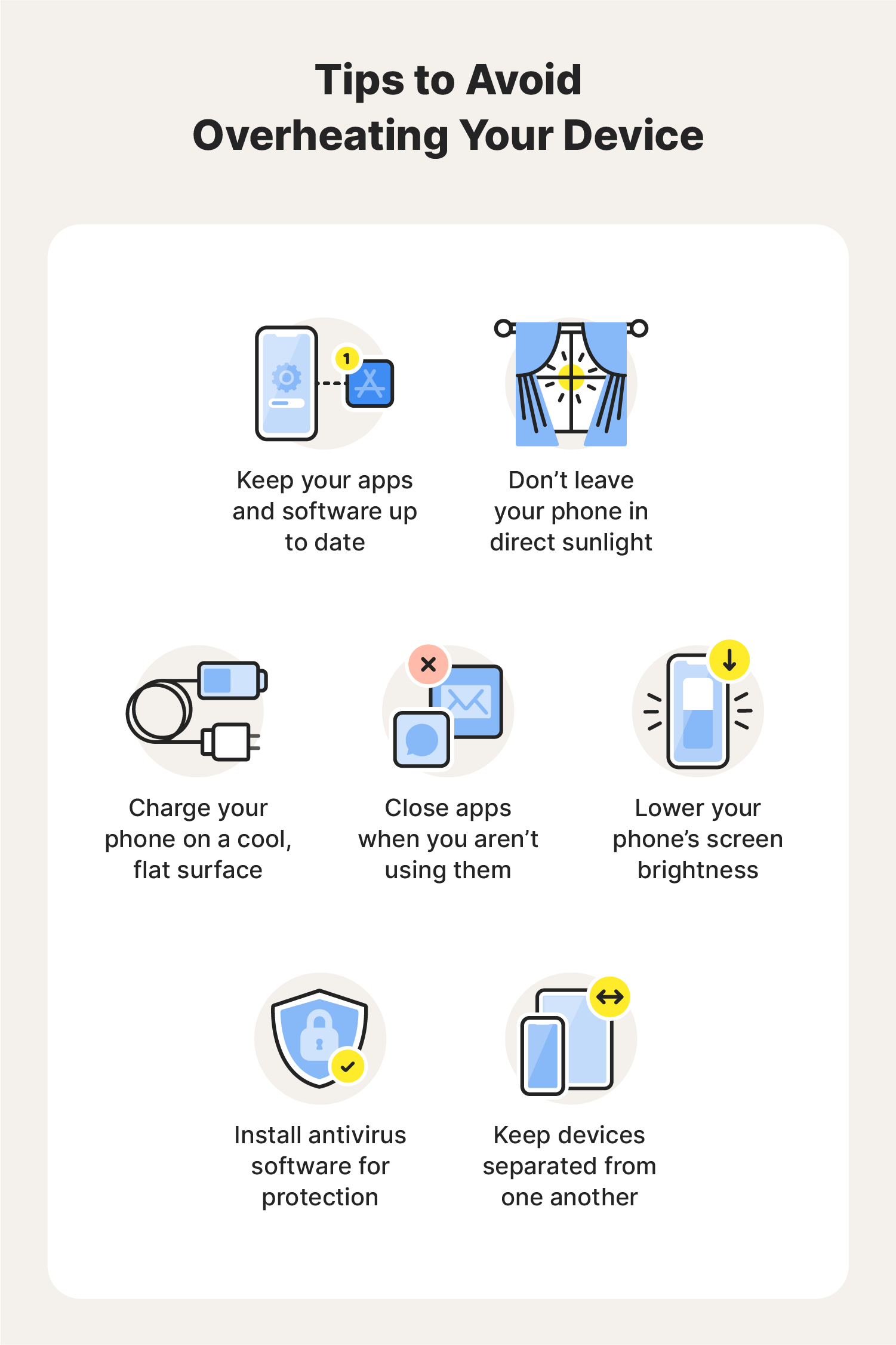
Charge your phone in a cool, ventilated area. Avoid charging under pillows or inside bags. This helps reduce overheating risks.
Steps To Reduce Phone Heat
Phones get hot because they work hard. Apps use a lot of power and make the phone warm. To keep your phone cool, follow some easy steps. These steps help your phone work better and last longer.
Closing Unused Apps
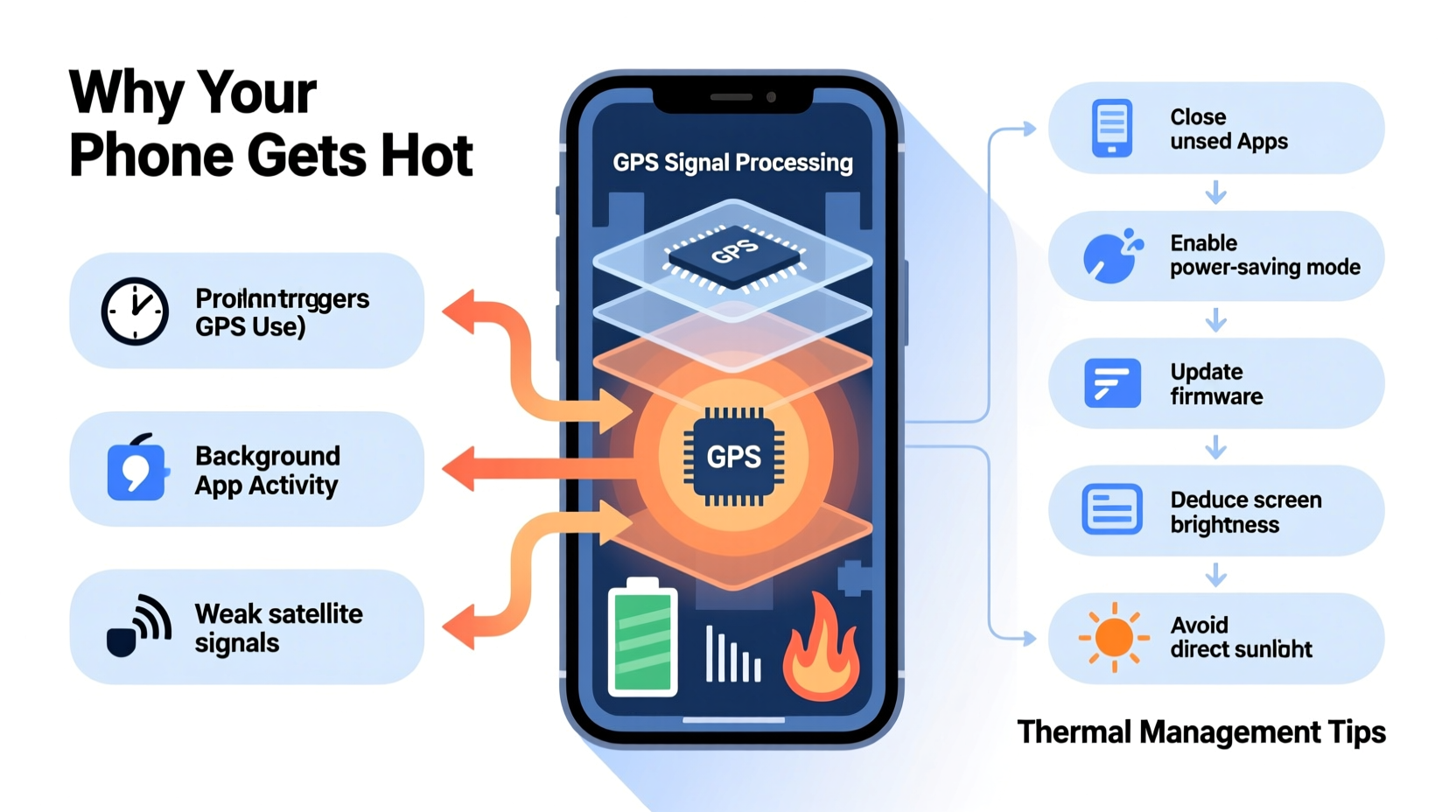
Apps running in the background use battery and cause heat. Close apps you do not need. This lowers the load on the phone’s processor. Your phone will cool down faster and save battery.
Adjusting Settings
Lowering screen brightness helps reduce heat. Turn off Bluetooth and GPS when not in use. Use airplane mode in low signal areas. These changes reduce the phone’s work and heat.
Updating Software
Software updates fix bugs and improve efficiency. An updated phone runs smoother and stays cooler. Check for updates regularly and install them. This keeps your phone safe and cool.
Using Cooling Accessories
Cooling accessories help your phone stay cool. Use a phone case with good airflow. External fans or cooling pads also work well. These tools help reduce heat during heavy use.
Credit: www.alibaba.com
When To Seek Professional Help
Your phone getting hot sometimes is normal. But some signs show you need help from a professional. Knowing these signs can save your phone from serious damage.
Do not ignore heat that lasts long or happens often. It can harm your phone’s parts and battery life. Here are clear signs to watch for.
Persistent Overheating Issues
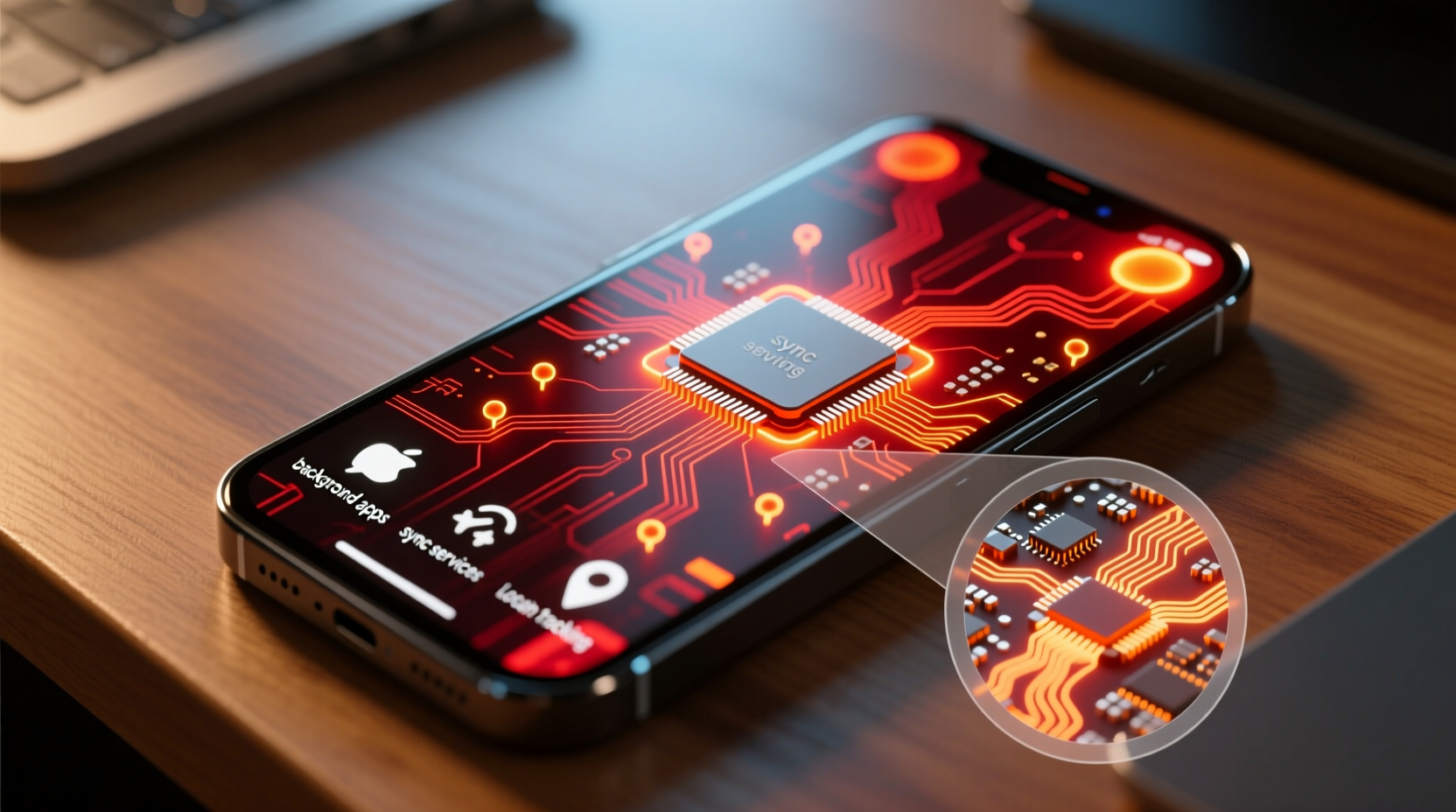
Phones get warm during heavy use. But constant overheating is a concern. If your phone stays hot after closing apps, it needs checking. Persistent heat can mean a software bug or hardware problem.
Battery Swelling Or Damage
Look at your phone’s battery area. A swollen or bulging battery is dangerous. It can cause leaks or even fire. Stop using the phone and get a technician to replace the battery safely.
Performance Drops
Overheating often slows down your phone. Apps may freeze or crash. The phone might restart by itself. These signs show hardware or software damage. Experts can diagnose and fix the root cause.
Credit: www.alibaba.com
Frequently Asked Questions
Why Does My Phone Heat Up While Using Apps?
Phones heat up due to heavy CPU and GPU usage by apps. Intensive apps like games or video streaming cause more heat. Background processes and poor ventilation also contribute. Overuse or outdated software can make phones hotter during app usage.
Can App Usage Damage My Phone From Heat?
Excessive heat from apps can reduce battery life and performance. Prolonged overheating may damage internal components. It is important to limit heavy app usage and keep your phone cool. Use official apps and update software to prevent overheating issues.
How Can I Prevent My Phone From Heating During Apps?
Close unused apps and avoid running many apps simultaneously. Reduce screen brightness and disable unnecessary features like GPS. Use phone in a cool environment and avoid direct sunlight. Regularly update apps and phone software to improve efficiency and reduce heat.
Do Certain Apps Cause More Heating Than Others?
Yes, graphics-intensive apps like games and video editors generate more heat. Streaming apps and augmented reality apps also use more resources. Social media apps with background refresh can cause mild heating. Monitoring app usage helps identify heat-causing apps.
Conclusion
Phone heat often comes from heavy app use and background tasks. Apps need power, which creates heat inside your device. Overheating can slow your phone or drain its battery fast. To keep your phone cool, close unused apps and avoid heavy tasks for long.
Regular updates also help apps run smoother and use less energy. Understanding why your phone heats up helps you take simple steps to protect it. Stay aware and keep your phone working well without getting too hot.