How to Stop Screen Glare During Daytime Work

Are you tired of battling annoying screen glare every time you try to work during the day? That bright reflection can strain your eyes, slow you down, and steal your focus.
But what if you could easily fix this problem and enjoy clear, comfortable screen time no matter the hour? You’ll discover simple, effective ways to stop screen glare and boost your productivity instantly. Keep reading—your eyes will thank you.
Causes Of Screen Glare
Screen glare can cause eye strain and reduce productivity during daytime work. Understanding what causes glare helps to reduce or prevent it. Several factors contribute to glare on your screen. Some come from your environment, others from the screen itself.
Reflection From Windows
Windows let in natural light, which is bright and often direct. This light can reflect off your screen’s surface. The reflection makes it hard to see the display clearly. Positioning your screen opposite windows can increase glare. Curtains or blinds can help control this light source.
Overhead Lighting
Ceiling lights or fluorescent bulbs create strong light beams. These lights can reflect on your screen, causing glare spots. Lights that are too bright or poorly placed worsen the issue. Using softer lighting or moving lamps can reduce reflections.
Screen Surface Issues
The type of screen surface affects glare levels. Glossy screens tend to reflect more light than matte screens. Dirt, fingerprints, and smudges increase glare by scattering light. Regular cleaning and choosing screens with anti-glare coatings help reduce these problems.
Adjusting Screen Settings
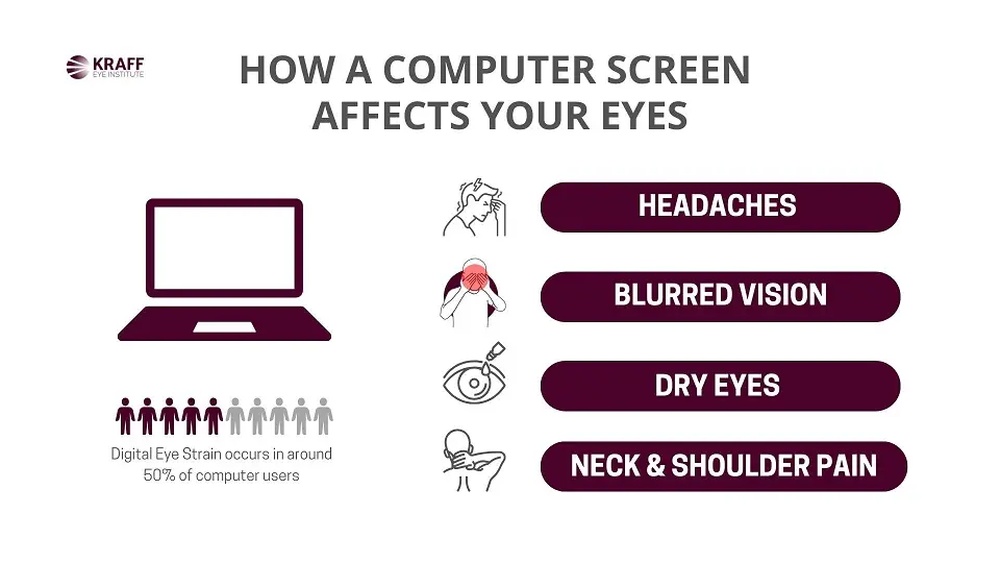
Adjusting your screen settings can reduce glare and improve comfort during daytime work. Simple changes to your display can make your screen easier to see. It also helps reduce eye strain and headaches.
Brightness And Contrast
Set your screen brightness to match the light in your room. Too bright or too dark screens cause glare and discomfort. Adjust contrast to make text and images clear. Balanced contrast helps your eyes focus better.
Using Blue Light Filters
Blue light filters reduce harsh light from your screen. They soften the display and protect your eyes. Many devices have built-in blue light modes you can turn on. These filters work well during bright daylight hours.
Changing Screen Position
Move your screen to avoid reflections from windows or lights. Tilt or swivel your monitor until glare disappears. Keep the screen at eye level to reduce strain. Small changes in angle can make a big difference.
Optimizing Workspace Layout
Optimizing your workspace layout helps reduce screen glare during daytime work. It creates a comfortable and productive environment. Small changes can make a big difference in how much glare you see.
Focus on how you arrange your desk and monitor. Use tools like anti-glare screens. Control natural light carefully. These steps improve your screen visibility and reduce eye strain.
Rearranging Desk And Monitor
Place your desk so the window is to the side, not in front or behind. This stops direct sunlight from hitting your screen. Adjust your monitor angle to avoid reflections. Keep the screen clean for better clarity. Even small shifts can cut glare significantly.
Using Anti-glare Screens
Anti-glare screens fit over your monitor and reduce reflections. They help block bright light without lowering screen quality. These screens are easy to install and remove. They work well in bright rooms and help protect your eyes.
Controlling Natural Light
Use blinds or curtains to limit sunlight entering your workspace. Sheer curtains soften light and reduce harsh glare. Position lamps to balance room brightness with natural light. Adjust window coverings throughout the day to keep glare low.

Credit: www.ebay.com
Using Physical Solutions
Daytime glare on screens can cause eye strain and reduce work comfort. Physical solutions help block or reduce light that causes glare. They work well to create a better workspace.
Window Shades And Curtains
Window shades and curtains control sunlight entering your room. Choose thick or blackout curtains to block strong light. Adjustable shades let you change light levels easily. This keeps glare off your screen without darkening the whole room.
Desk Lamps With Adjustable Angles
Desk lamps with adjustable arms direct light where you need it. Position the lamp to avoid light reflecting on your screen. Soft, warm light reduces eye strain during daytime work. These lamps give you control over brightness and angle.
Matte Screen Protectors
Matte screen protectors reduce reflections on your device’s display. They create a dull surface that cuts glare from sunlight. This makes the screen easier to see without bright spots. Matte protectors also protect your screen from scratches.
Technology And Software Aids
Screen glare can cause eye strain and reduce productivity during daytime work. Technology offers simple ways to reduce this problem. Software tools adjust your screen settings to match the light around you. These aids help create a comfortable and clear display. Using the right software can make daytime work easier and less tiring.
Glare-reducing Software
Glare-reducing software changes your screen colors and brightness. It lowers blue light and adds a warm tint. This makes the screen easier on your eyes. Some programs let you set schedules for automatic changes. This means less glare without needing to adjust settings manually. Many free and paid options are available for all devices.
Adaptive Brightness Tools
Adaptive brightness tools use sensors to detect light levels. They adjust your screen brightness automatically. This keeps your screen clear without glare or darkness. These tools work well for people moving between bright and dim areas. They save time by removing the need for constant manual changes. Many laptops and smartphones include this feature by default.
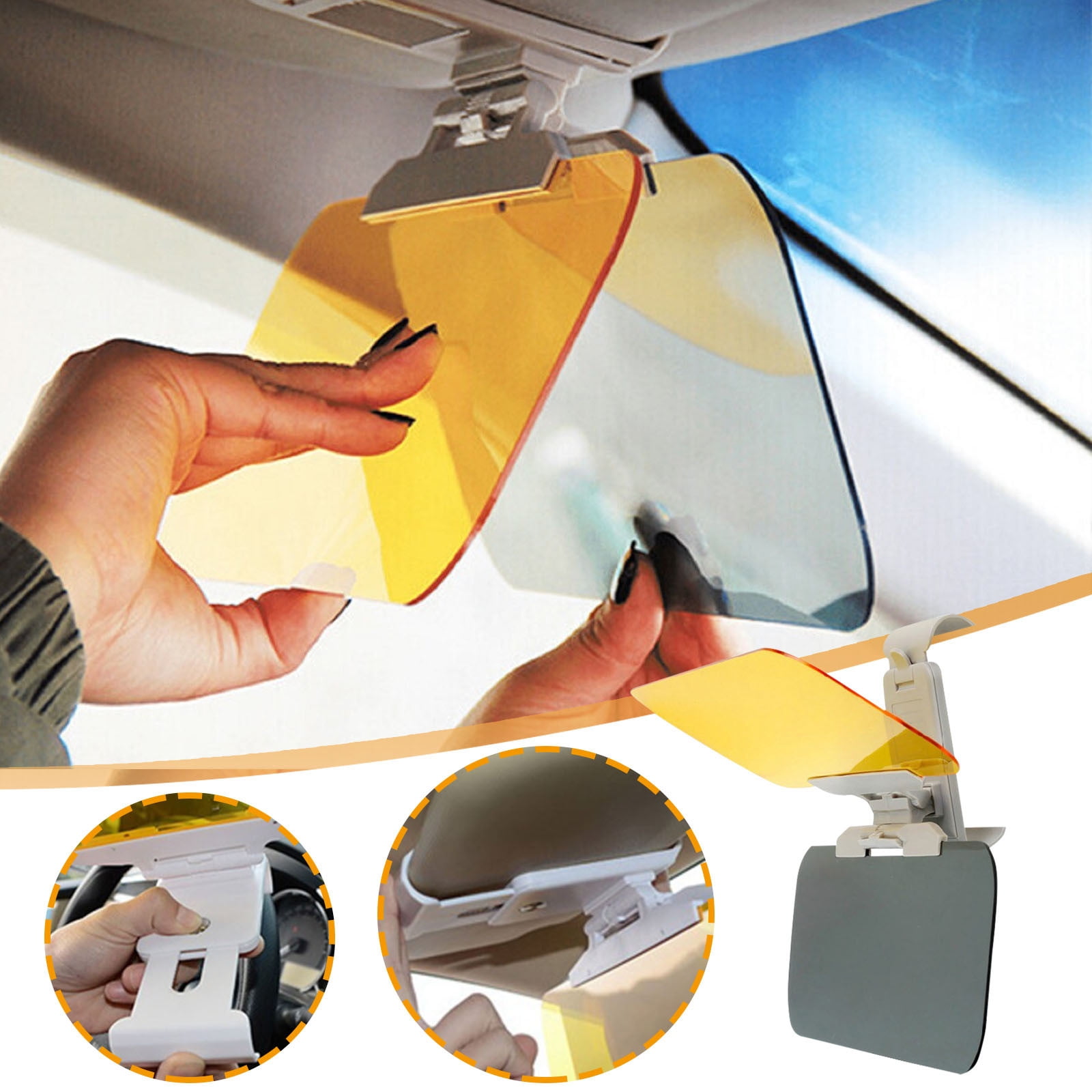
Credit: www.equatorknives.com
Maintaining Eye Comfort
Maintaining eye comfort is key to working well during the day. Bright light and screen glare can make eyes tired and sore. Protecting your eyes helps you stay focused and avoid headaches. Simple habits can keep your eyes fresh and reduce strain.
Taking Regular Breaks
Give your eyes a rest every 20 minutes. Look away from the screen and focus on something far. This small break relaxes your eye muscles. Try blinking often to keep eyes moist. Short breaks help reduce dryness and tiredness.
Proper Seating Posture
Sit with your back straight and feet flat on the floor. Keep your screen at eye level and about 20 inches away. Good posture stops neck and eye strain. Adjust your chair and desk to fit your height. Comfortable seating makes working easier on your eyes.
Using Anti-reflective Eyewear
Wear glasses with anti-reflective coating if you need them. These glasses cut glare from screens and lights. They help reduce squinting and eye fatigue. Anti-reflective lenses make it easier to see clearly. Protect your eyes during long screen sessions.

Credit: www.amazon.ae
Frequently Asked Questions
How Can I Reduce Screen Glare Naturally During Daytime?
Position your screen away from direct sunlight. Use blinds or curtains to limit light. Adjust screen brightness and contrast for comfort.
What Are The Best Screen Protectors To Stop Glare?
Anti-glare or matte screen protectors diffuse light and reduce reflections. They improve visibility and reduce eye strain effectively.
How Does Screen Brightness Affect Daytime Glare?
Too high brightness causes reflections, too low strains eyes. Adjust brightness to match ambient light for optimal viewing.
Can Changing Monitor Angle Help Reduce Screen Glare?
Yes, tilting or rotating your monitor can minimize light reflection. Experiment with angles to find the glare-free position.
Conclusion
Reducing screen glare makes daytime work easier and less tiring. Use blinds or curtains to control sunlight. Position your screen away from direct light sources. Anti-glare screen protectors help reduce reflections. Adjust your monitor’s brightness and contrast for comfort. Small changes create a big difference in your workday.
Enjoy clearer, more comfortable screen time every day. Simple steps lead to better focus and less eye strain. Start applying these tips today for a brighter workspace.