Why Do My Eyes Water When Using Computer

Have you ever noticed your eyes suddenly watering while you’re working on your computer? It can be annoying and distracting, especially when you’re trying to focus.
You might wonder why this happens and if it’s something to worry about. The truth is, your eyes are trying to tell you something important. Understanding why your eyes water when using a computer can help you find simple ways to feel more comfortable and protect your vision.
Keep reading to discover what’s causing this and how you can stop it from interrupting your day.

Credit: my.clevelandclinic.org
Causes Of Watery Eyes During Computer Use
Watery eyes during computer use can be frustrating. Understanding the causes helps to find relief. Several factors contribute to this common issue. Each factor affects your eyes in different ways. Knowing them helps you protect your vision and comfort.
Reduced Blinking Rate
Blinking spreads tears evenly across the eye surface. When using a computer, blinking slows down. This causes the eyes to dry out. Dry eyes then trigger more tears as a reflex. The result is watery eyes and discomfort.
Screen Glare And Brightness
Bright screens and glare strain your eyes. The eyes react by producing excess tears. This natural response tries to protect the eyes. Glare from windows or lights worsens the problem. Adjusting screen brightness can reduce watery eyes.
Dry Eye Syndrome
Dry Eye Syndrome means your eyes do not make enough tears. Long computer use worsens this condition. Lack of moisture causes irritation and redness. The eyes produce extra tears to fight dryness. This cycle leads to constant watering.
Eye Strain And Fatigue
Focusing on a screen for hours causes eye strain. Tired eyes become sensitive and watery. Muscles around the eyes tense up. This increases tear production as a defense. Taking breaks helps reduce strain and watering.
Environmental Factors
Dry air, air conditioning, and fans dry out eyes. Dust and pollution also irritate the eyes. These conditions cause more tears to form. Watery eyes protect against environmental irritants. Keeping your workspace clean helps lessen symptoms.
Effects Of Prolonged Screen Time On Eyes
Spending long hours in front of a computer screen can cause several issues for your eyes. The eyes work harder to focus on digital text and images. This extra effort often leads to discomfort and watery eyes. Understanding how screen time affects your eyes helps in managing these symptoms better.
Impact On Tear Film
The tear film keeps your eyes moist and clear. Staring at screens reduces blink rate. Less blinking causes the tear film to dry out. Dry eyes trigger more tears to protect the surface. This leads to watery or irritated eyes.
Eye Muscle Overuse
Focusing on small text strains eye muscles. Eye muscles stay tense for long periods. This overuse causes fatigue and discomfort. Tired muscles can also cause excessive tearing as a response.
Increased Sensitivity
Screen glare and blue light increase eye sensitivity. Sensitive eyes react by producing more tears. Bright screens worsen this effect. Sensitive eyes may feel itchy or watery more often.
Preventive Measures To Reduce Eye Watering
Eye watering while using a computer can disrupt work and cause discomfort. Simple steps can reduce this problem effectively. These preventive measures help protect your eyes and improve comfort during screen use.
Adjusting Screen Settings
Lower the screen brightness to match room lighting. Increase text size to reduce eye strain. Use blue light filters to reduce glare. Adjusting these settings keeps your eyes relaxed.
Taking Regular Breaks
Follow the 20-20-20 rule: every 20 minutes, look at something 20 feet away for 20 seconds. This helps your eyes rest and refocus. Regular breaks reduce dryness and watering.
Using Artificial Tears
Use lubricating eye drops to keep eyes moist. Choose preservative-free drops for sensitive eyes. Artificial tears help prevent dryness that causes watering.
Maintaining Proper Lighting
Avoid bright lights behind or in front of your screen. Use soft, indirect lighting to reduce glare. Proper lighting protects your eyes from strain and watering.
Optimizing Workspace Ergonomics
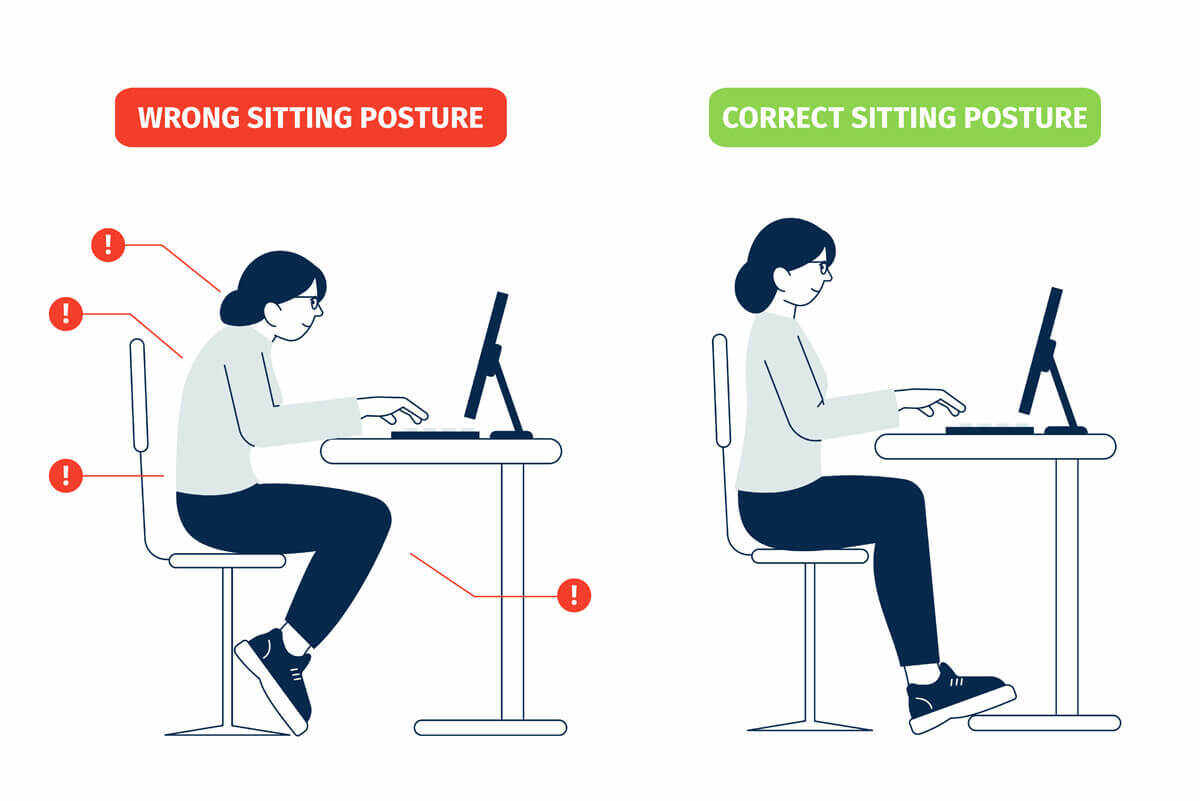
Place the screen slightly below eye level. Keep a comfortable distance of 20-24 inches from your eyes. Good posture and setup reduce eye stress and watering.

Credit: docsmedicalgroup.com
When To See An Eye Specialist
Knowing when to see an eye specialist is important if your eyes water while using a computer. Some symptoms need medical attention to avoid bigger problems. Early care can protect your vision and comfort.
Persistent Symptoms
If your eyes water all the time or for many days, it is a sign to visit a doctor. Persistent watering can mean your eyes are tired or dry. A specialist can find the cause and suggest the right treatment.
Signs Of Infection Or Allergies
Redness, itching, or pain with watery eyes may show infection or allergies. These conditions need medical help to stop spreading or getting worse. An eye specialist can give medicine to ease these symptoms quickly.
Vision Changes
Blurred or double vision with watery eyes needs urgent attention. Changes in how you see can mean serious eye issues. An eye specialist can check your vision and guide you to proper care.

Credit: www.ceenta.com
Frequently Asked Questions
Why Do My Eyes Water When Using A Computer?
Your eyes water due to dryness caused by reduced blinking. Staring at screens causes strain and irritation. The eyes produce excess tears to compensate for dryness and discomfort.
Can Screen Glare Cause Watery Eyes?
Yes, screen glare can cause eye strain and watery eyes. Bright reflections increase discomfort, making your eyes produce more tears to protect themselves.
How Can I Prevent Eye Watering While Using A Computer?
To prevent eye watering, take regular breaks using the 20-20-20 rule. Adjust screen brightness and reduce glare. Use artificial tears if needed, and ensure proper lighting in your workspace.
Does Screen Time Affect Tear Production?
Prolonged screen time decreases blinking rate, leading to dry eyes. This triggers excessive tear production as a natural response to eye dryness and irritation.
Conclusion
Dry eyes, screen glare, and poor posture all cause watery eyes. Taking breaks often helps your eyes relax and stay moist. Adjusting screen brightness and using eye drops can ease discomfort. Remember to blink more while using the computer. Simple changes create big comfort for your eyes.
Keep your workspace clean and well-lit. Protect your vision with these easy steps every day. Your eyes will thank you for the care.