Why Does My Device Hang When Multitasking

Have you ever been in the middle of using your device, switching between apps or tasks, only to find it freezing or hanging? It’s frustrating, isn’t it?
You rely on your device to keep up with everything you do, but sometimes it just can’t handle the load. Why does this happen? What’s really going on behind the scenes when your device slows down or stops responding during multitasking?
Understanding this can help you fix the problem and get your device working smoothly again. Keep reading to discover the surprising reasons your device hangs when multitasking—and how you can stop it.
Credit: thenextweb.com
Common Causes Of Device Hanging
Devices hang during multitasking due to several common reasons. Understanding these causes helps fix the problem. Some issues relate to hardware limits. Others involve software behavior. Identifying the cause can improve device performance.
Insufficient Ram
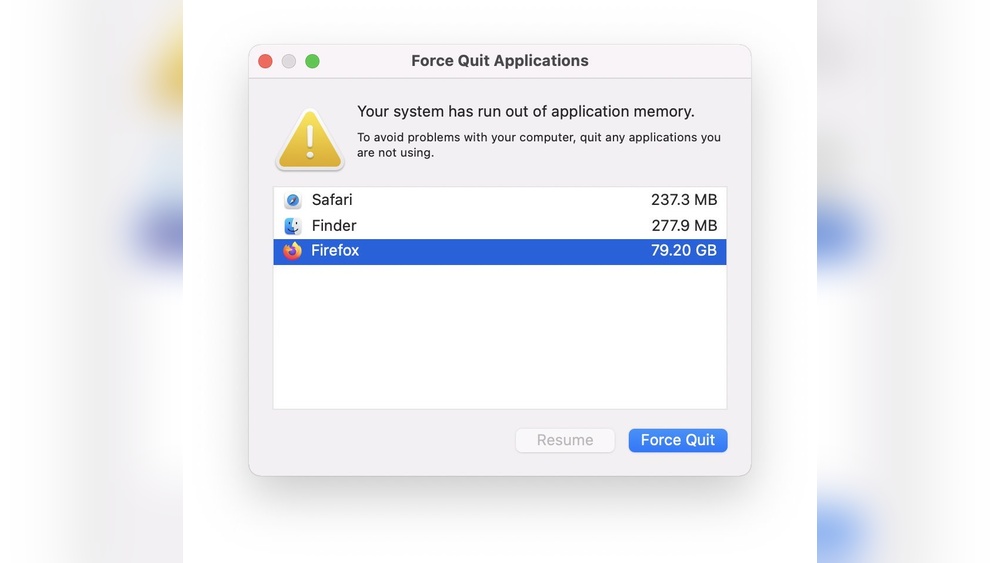
RAM stores data for active tasks. Low RAM means the device struggles to handle many apps. It slows down and may freeze. More RAM helps run several apps smoothly. Devices with limited RAM often hang during multitasking.
Background Apps Overload
Many apps run in the background. They use memory and processing power. This overload reduces resources for current tasks. Closing unused apps frees memory. Too many background apps cause device hanging.
Processor Limitations
The processor controls all device operations. Older or weaker processors handle fewer tasks at once. Heavy multitasking overwhelms the CPU. This causes slowdowns and freezing. A strong processor improves multitasking performance.
Storage Space Issues
Low storage space affects device speed. Devices need free space for temporary files. When storage fills up, performance drops. This leads to hanging during multitasking. Clearing storage helps keep the device responsive.
Software Bugs And Glitches
Software errors cause apps or the system to freeze. Bugs drain resources or clash with hardware. Regular updates fix many bugs. Using outdated software raises the chance of device hanging.
How Multitasking Affects Performance
Multitasking puts many demands on your device. Running several apps or processes at once uses more power. This can slow down your device or cause it to hang. Understanding how multitasking affects performance helps explain these problems.
Different parts of the device work together to handle multitasking. When these parts get overloaded, performance drops. This section breaks down the main ways multitasking impacts your device.
Resource Allocation Challenges
Devices have limited resources like CPU power and memory. Multitasking splits these resources among active apps. Sometimes, apps need more resources than available. This causes delays and freezing. Your device struggles to keep all apps running smoothly.
Impact On Cpu And Memory
The CPU processes all tasks your device runs. Multiple apps increase CPU load. High CPU use slows down app response times. Memory stores running apps and data temporarily. When memory fills up, the device swaps data to slower storage. This process makes the device lag or hang.
Effect On Battery Life
More apps running means more battery use. Multitasking forces the device to work harder. This drains the battery faster. Low battery can also reduce device speed. The device may slow down to save power, causing delays during multitasking.
Troubleshooting Device Hanging
Device hanging during multitasking is a common problem. It interrupts your workflow and causes frustration. Troubleshooting can help identify and fix the issue. Simple steps often improve performance quickly. Let’s explore some easy ways to reduce device hanging.
Closing Unnecessary Apps
Many apps running at the same time slow down your device. Close apps you do not use. This frees up memory and processing power. Your device can then handle active tasks better. Check the app switcher and swipe away unused apps.
Clearing Cache And Temporary Files
Cache stores temporary data that apps use to load faster. Over time, cache grows and can cause lag. Clear cache and temporary files regularly. This frees storage and helps the device run smoothly. Find this option in your device’s settings or app manager.
Updating Software And Apps
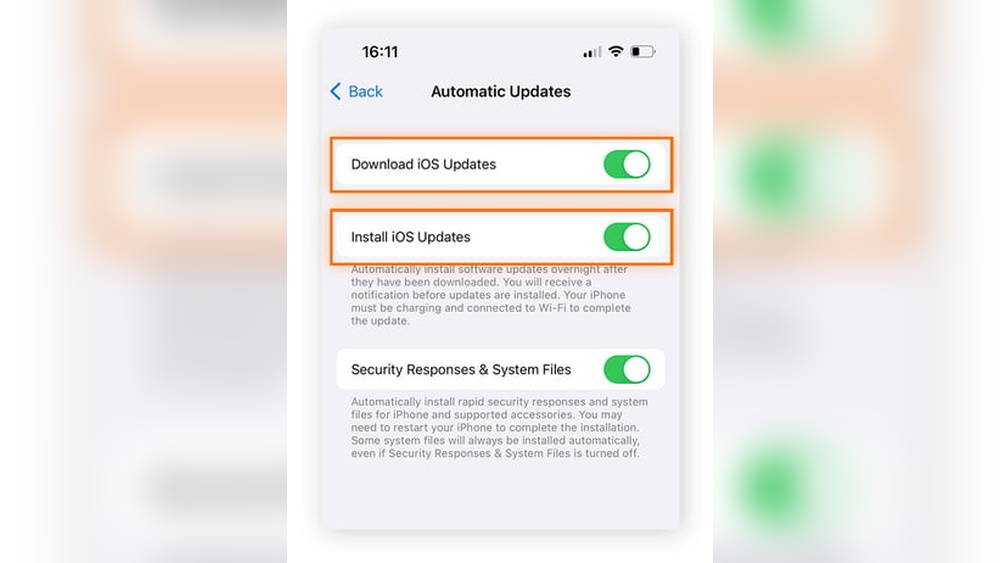
Old software and apps may have bugs that cause hanging. Updates fix bugs and improve performance. Keep your device’s operating system and apps up to date. Check for updates often and install them promptly. Updated software runs more efficiently.
Restarting The Device
Restarting refreshes your device’s memory and stops background processes. It clears temporary glitches that cause hanging. Turn off your device, wait a few seconds, then turn it back on. Restarting regularly helps maintain smooth multitasking.

Credit: www.ebay.com
Optimizing Device For Smooth Multitasking
Optimizing your device helps it run multiple tasks smoothly. This reduces hanging and lagging. Simple steps can improve your device’s performance. These tips help manage resources better and keep apps running well.
Upgrading Hardware Components
More RAM lets your device handle many apps at once. A faster processor improves speed and response. Using a solid-state drive (SSD) speeds up data access. These upgrades reduce delays during multitasking.
Using Lite Versions Of Apps
Lite apps use less memory and storage space. They run faster and consume less battery. These versions focus on core features only. Using lite apps helps keep your device quick.
Managing Background Processes
Background apps use CPU and memory without your knowledge. Closing unused apps frees up resources. Disable auto-start for apps you do not need. This keeps your device from slowing down.
Regular Maintenance Tips
Clear cache regularly to remove temporary files. Update apps and system software for better performance. Restart your device often to refresh memory. Remove unused apps to save space. These habits keep your device healthy.
When To Seek Professional Help
Sometimes, device problems go beyond simple fixes. Knowing when to get professional help can save time and stress. Experts can spot issues that are hard to find. They also have the right tools to fix deep problems. Below are signs that show it’s time to seek expert care.
Persistent Performance Issues
Devices slowing down often is a clear warning sign. Restarting or closing apps offers only short relief. If freezing happens during simple tasks, experts should check it. They can find hidden causes that users miss. Constant delays affect work and enjoyment. Professionals improve speed and stability effectively.
Hardware Malfunction Signs
Strange noises, overheating, or sudden shutdowns point to hardware problems. Screen flickering or unresponsive buttons also matter. These issues worsen without proper repair. Experts can test parts like memory, processor, or battery. Fixing hardware early prevents bigger damage and data loss.
Software Corruption Problems
Software errors can cause crashes and freezes. Corrupted files or failed updates often create these issues. If apps keep crashing or the device restarts randomly, help is needed. Professionals can repair or reinstall the system safely. They protect your data and keep the device running smoothly.

Credit: x.com
Frequently Asked Questions
Why Does My Device Freeze During Multitasking?
Your device may freeze due to limited RAM and CPU overload. Running many apps consumes resources, causing slowdowns and hangs. Closing unused apps and clearing cache can improve performance and prevent freezing while multitasking.
How Can I Stop My Device From Hanging?
To prevent hanging, update your device software regularly and uninstall unused apps. Freeing up storage and restarting your device often also helps maintain smooth multitasking performance.
Does Too Many Apps Cause Device Hangs?
Yes, running too many apps simultaneously strains your device’s memory and processor. This overload leads to slow response times and frequent hangs during multitasking.
Can Low Storage Space Cause Device Hangs?
Low storage reduces your device’s ability to manage tasks efficiently. Insufficient space slows down system processes and increases the chance of device hangs during multitasking.
Conclusion
Device hanging during multitasking often means it struggles to handle many tasks. Running too many apps or using heavy programs slows your device down. Low memory or outdated software also causes freezing and lag. Closing unused apps and updating software can help a lot.
Regularly restarting your device clears temporary files and boosts speed. Understanding these simple reasons helps you keep your device smooth and fast. Small changes make a big difference in your device’s performance. Stay patient and keep your device well maintained.