Why Does My Hand Go Numb Using Mouse

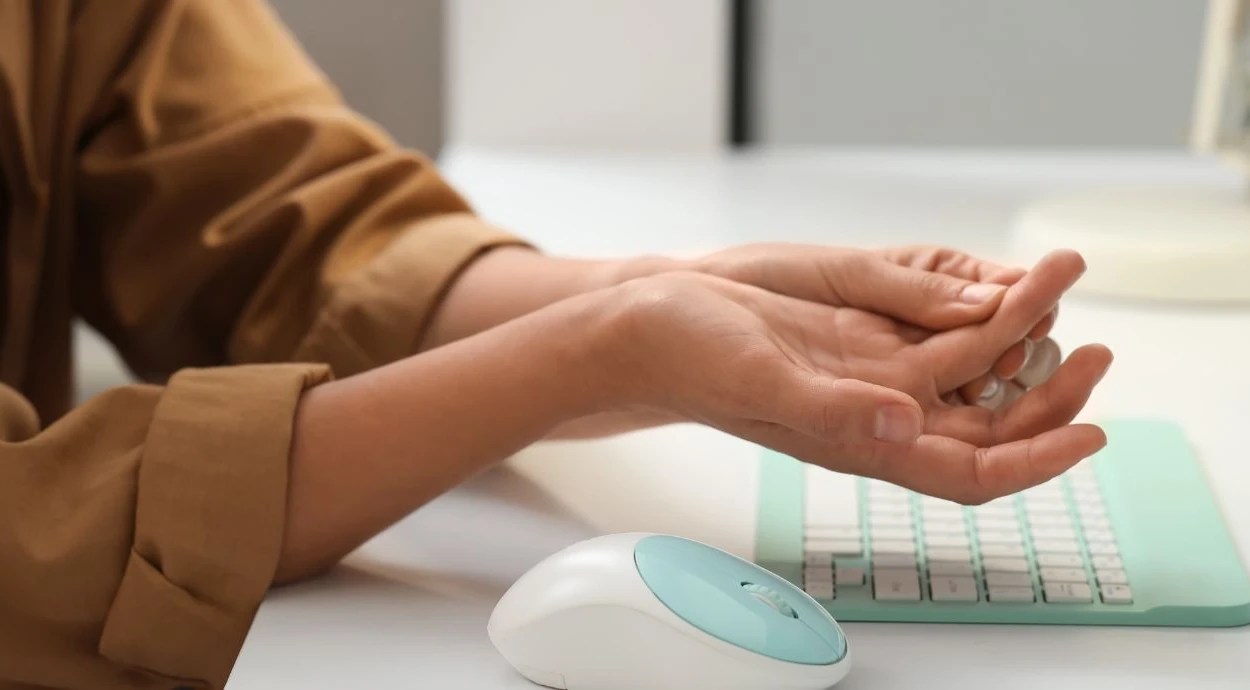
Have you ever been working on your computer when suddenly your hand goes numb while using the mouse? That strange tingling or loss of feeling can be frustrating and even painful.
You might wonder why this keeps happening and what it means for your health. Understanding why your hand goes numb when using a mouse is important because it can help you avoid discomfort and prevent serious problems down the road.
Keep reading to discover the common causes and simple steps you can take to protect your hand and stay comfortable while working.
Credit: www.schreibermd.com
Common Causes Of Hand Numbness
Hand numbness while using a mouse is common. Many factors cause this uncomfortable feeling. Understanding these causes helps find relief faster. The main reasons often involve how you use your mouse and your body’s response to it.
Below are the common causes of hand numbness. Each one affects your hand differently and needs specific attention.
Poor Ergonomics
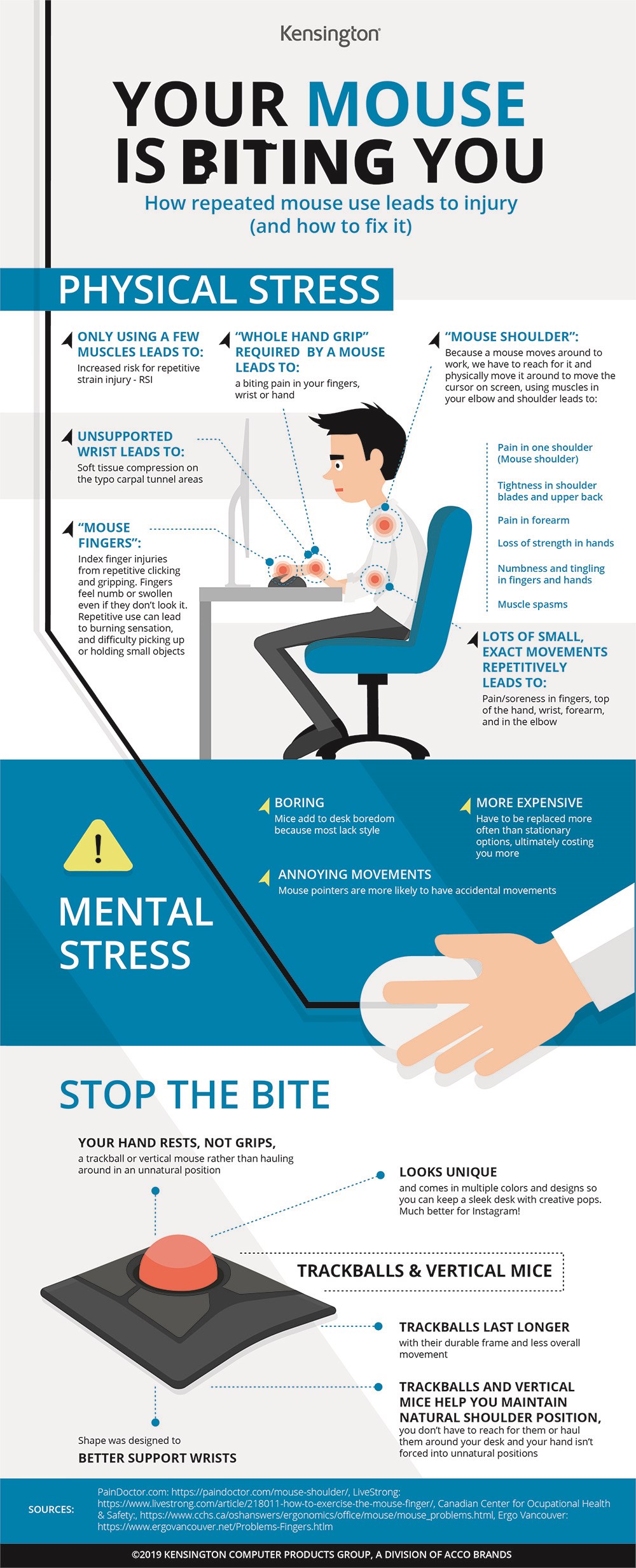
Poor ergonomics means your mouse setup is not comfortable. Your wrist may bend awkwardly or rest on a hard surface. This strain puts pressure on nerves and blood vessels. Over time, this leads to numbness and pain. Adjusting your workspace can reduce this risk.
Nerve Compression
Nerve compression happens when nerves are squeezed or pinched. Using a mouse in a tight space can press nerves in your wrist or arm. The median nerve is often affected, causing numbness and tingling. Rest and proper wrist position help ease this problem.
Repetitive Strain Injuries
Repetitive strain injuries occur from doing the same motion repeatedly. Moving the mouse for hours can cause tiny injuries in muscles and tendons. These injuries swell and press on nerves, causing numbness. Taking breaks and stretching your hand can prevent this.
Circulation Issues
Circulation issues reduce blood flow to your hand. Holding the mouse too tightly or keeping your arm still blocks blood vessels. Poor blood flow means less oxygen reaches your nerves. This causes your hand to feel numb or cold. Relaxing your grip can improve circulation.
Credit: www.kensington.com
Ergonomic Mistakes To Avoid
Hand numbness from using a mouse often results from simple ergonomic mistakes. These errors can strain your nerves and muscles. Fixing them helps reduce discomfort and improve productivity. Pay attention to your mouse setup and habits. Small changes make a big difference.
Incorrect Mouse Position
Placing the mouse too far or too close causes arm strain. Your elbow should stay close to your body. Keep the mouse near the keyboard. Avoid stretching your arm forward. This reduces nerve pressure and improves comfort.
Improper Wrist Angle
Bending your wrist up, down, or sideways puts stress on nerves. Keep your wrist straight and relaxed. Use a mouse pad with wrist support if needed. A neutral wrist position prevents numbness and pain.
Lack Of Support
Not supporting your forearm or wrist increases muscle fatigue. Rest your arm on the desk or armrest. This reduces pressure on your hand and wrist. Proper support helps keep blood flow steady and nerves healthy.
Nerve-related Conditions
Numbness in your hand while using a mouse can signal nerve problems. Nerves control feeling and movement in your hand. Pressure or damage to these nerves causes numbness, tingling, or pain.
Several nerve-related conditions can explain why your hand goes numb. Each condition affects different nerves and parts of your arm.
Carpal Tunnel Syndrome
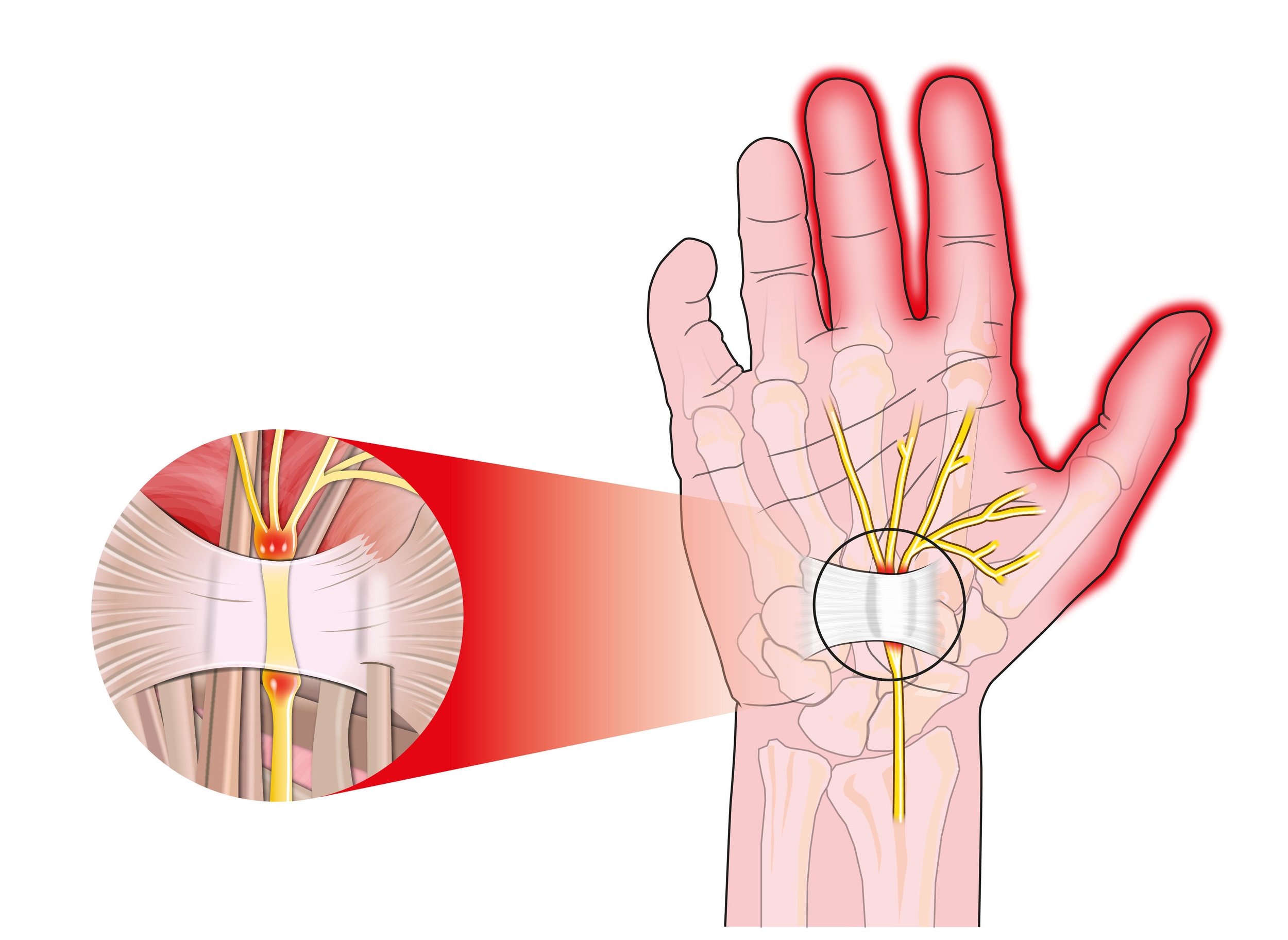
This condition happens when the median nerve is squeezed at the wrist. The carpal tunnel is a small passage in your wrist. Repeated mouse use can cause swelling and pressure here. Symptoms include numbness, tingling, and weakness in the thumb and fingers. Early rest and wrist exercises help reduce symptoms. Severe cases may need medical treatment.
Cubital Tunnel Syndrome
This syndrome affects the ulnar nerve at the elbow. It causes numbness and tingling in the ring and little fingers. Holding your arm bent for long periods, like using a mouse, can irritate this nerve. You may feel a burning or electric shock sensation. Avoid bending your elbow too much and take breaks. If symptoms worsen, see a healthcare provider.
Thoracic Outlet Syndrome
This condition compresses nerves between your neck and shoulder. It affects the entire arm and hand. Using a mouse with poor posture can strain this area. Symptoms include numbness, weakness, and pain in the hand and arm. Stretching and improving posture often help. Severe cases might require physical therapy or surgery.
Credit: oxford-med.com.ua
Tips To Prevent Numbness
Feeling numbness in your hand while using a mouse can be frustrating. It may cause discomfort and reduce your work efficiency. Simple changes can help stop this problem. Here are some easy tips to prevent numbness and keep your hand comfortable.
Adjusting Mouse Placement
Place your mouse close to your body. Avoid stretching your arm too far. Keep your wrist straight and relaxed. Adjust the mouse height to match your desk level. This reduces pressure on your nerves and muscles.
Taking Regular Breaks
Pause your work every 30 minutes. Stand up and shake your hands gently. Short breaks help blood flow and reduce tension. Resting your hand prevents numbness from building up.
Stretching Exercises
Stretch your fingers and wrist often. Try wrist circles and finger bends. These simple exercises loosen tight muscles. Stretching improves circulation and eases nerve pressure.
Using Ergonomic Accessories
Use a mouse designed for comfort. Ergonomic mice support your hand shape. A padded wrist rest can reduce strain. These tools help keep your hand in a natural position. They lower the chance of numbness.
When To See A Doctor
Numbness in the hand while using a mouse can be troubling. It might be a sign of an underlying issue. Knowing when to see a doctor helps prevent serious problems. Some signs mean you should get medical advice quickly.
Pay close attention to how long the numbness lasts. Also, watch for pain or weakness in your hand. These symptoms often need professional care. Early diagnosis can improve treatment success.
Persistent Numbness
Numbness that lasts more than a few hours needs a doctor’s checkup. Constant tingling or loss of feeling can signal nerve damage. Don’t ignore numbness that does not improve after resting. Early care can stop damage from getting worse.
Associated Pain Or Weakness
Severe pain with numbness is a strong warning sign. Weakness in your fingers or hand needs urgent medical attention. These symptoms might mean nerve compression or injury. Getting help early can prevent loss of hand function.
Diagnostic Tests
Doctors use tests to find the cause of numbness. Nerve conduction studies check how well your nerves work. Imaging tests like MRI or ultrasound show nerve or tissue problems. These tests guide doctors to the right treatment for you.
Frequently Asked Questions
Why Does My Hand Go Numb Using A Mouse?
Hand numbness from mouse use often results from nerve compression. Poor wrist posture and repetitive movements cause pressure on nerves. This leads to tingling, numbness, or pain in the hand and fingers. Taking breaks and improving ergonomics can help reduce symptoms.
Can Carpal Tunnel Syndrome Cause Hand Numbness With Mouse Use?
Yes, carpal tunnel syndrome commonly causes numbness during mouse use. It occurs when the median nerve is compressed at the wrist. Symptoms include tingling, numbness, and weakness in the thumb and fingers. Proper wrist support and ergonomic adjustments can relieve these symptoms.
How Can I Prevent Hand Numbness While Using A Mouse?
To prevent hand numbness, maintain a neutral wrist position. Use an ergonomic mouse and wrist rest for support. Take regular breaks to stretch your hands and wrists. Adjust your workstation height to avoid strain. These steps reduce nerve compression and improve comfort.
When Should I See A Doctor For Mouse-related Numbness?
See a doctor if numbness persists or worsens despite ergonomic changes. Also seek help if you experience weakness, pain, or loss of hand function. Early diagnosis can prevent permanent nerve damage and improve treatment outcomes.
Conclusion
Numbness in your hand from using a mouse is common. It often happens because of poor hand position or pressure on nerves. Taking breaks and adjusting your mouse can help a lot. Stretch your fingers and wrist regularly to ease discomfort.
Using an ergonomic mouse might reduce numbness too. Don’t ignore persistent pain; see a doctor if it lasts. Small changes can make your work more comfortable and pain-free. Your hands deserve care to keep them healthy and strong.