Why Does My Laptop Freeze When Opening Programs

Have you ever clicked to open a program on your laptop, only to watch it freeze and leave you stuck? It’s frustrating, right?
You rely on your laptop to work smoothly, but when it slows down or locks up, everything grinds to a halt. You might wonder, “Why does my laptop freeze when opening programs? ” The answer isn’t always obvious, but understanding the reasons can help you fix the problem fast.
Keep reading, and you’ll discover the common causes behind these freezes—and what you can do to get your laptop running like new again.
Credit: community.acer.com
Common Causes Of Laptop Freezing
Laptop freezing can be frustrating. It often happens when opening programs. Understanding the common causes helps fix the problem. Many reasons can slow down your laptop or make it freeze. Here are the main causes that affect laptop performance.
Insufficient Ram
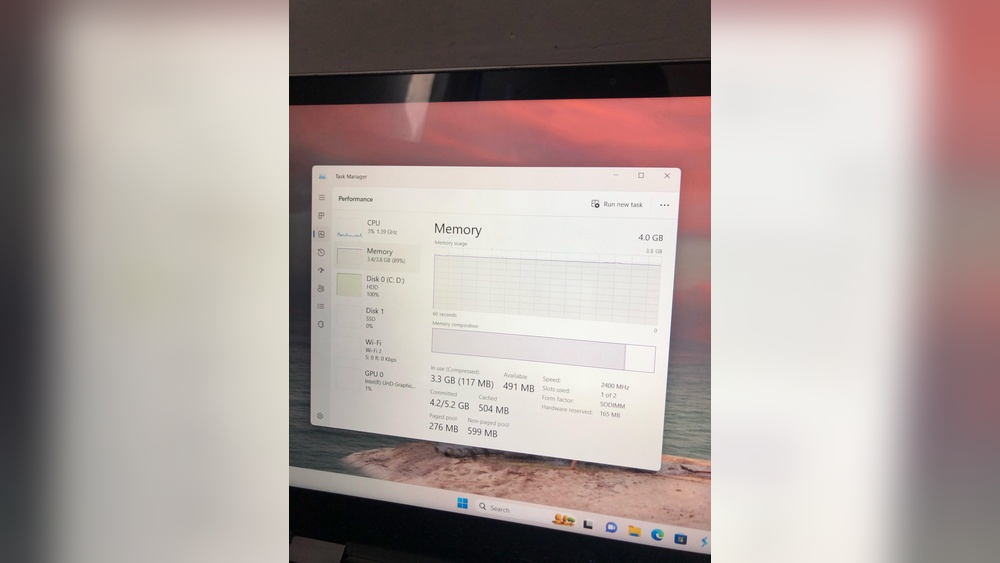
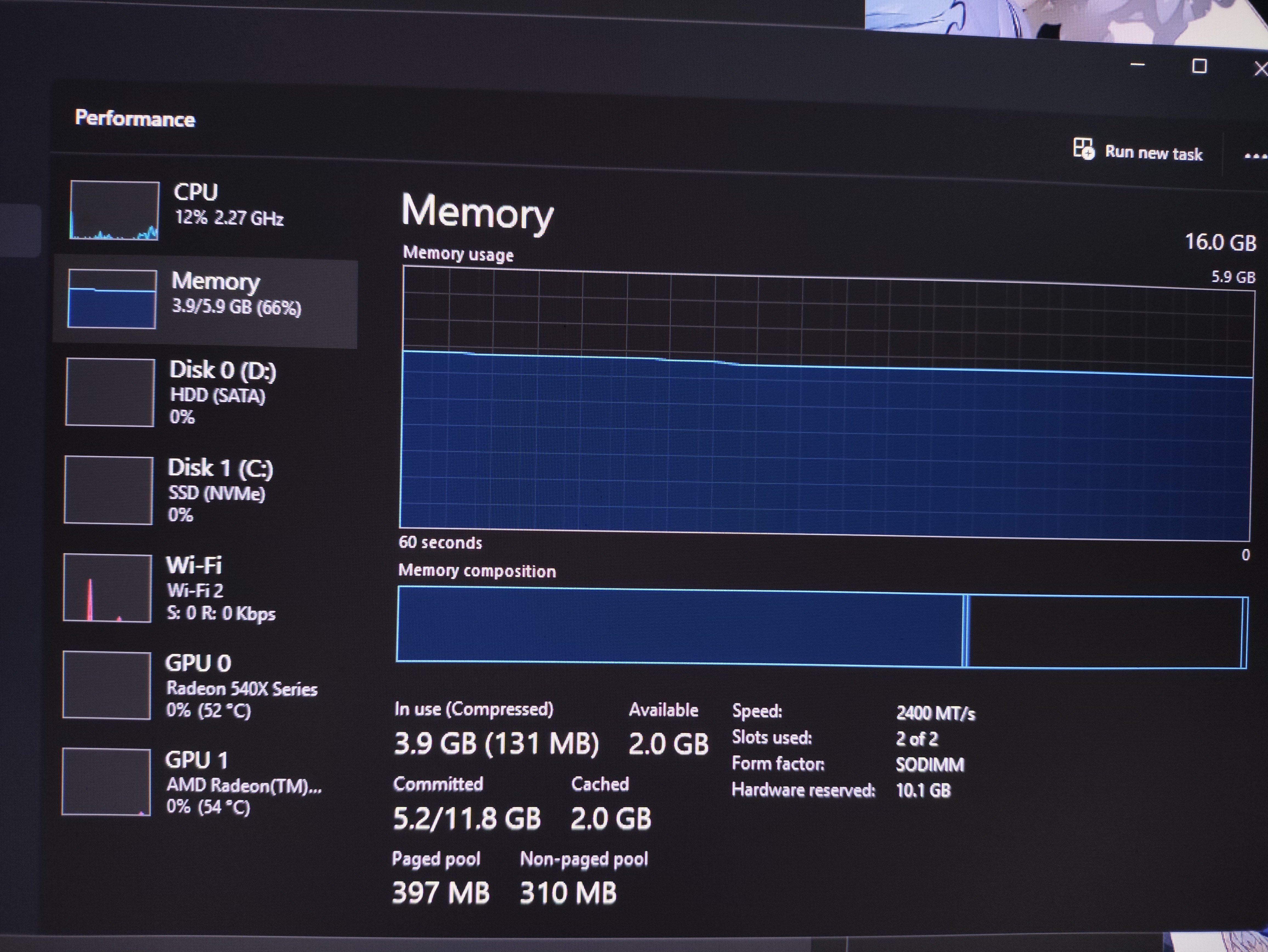
RAM is the laptop’s short-term memory. It helps run programs smoothly. If your laptop has low RAM, it struggles to open many apps. Programs need enough memory to work without freezing. Adding more RAM can improve speed and reduce freezing.
Overloaded Cpu
The CPU is the brain of your laptop. It processes all the tasks. Running too many programs at once can overload the CPU. When the CPU is busy, your laptop may freeze. Closing unused programs lowers CPU load and helps performance.
Malware And Viruses
Malware and viruses harm your laptop’s system. They slow down your computer and cause freezing. Some malware runs in the background without your knowledge. Using antivirus software regularly can remove these threats and speed up your laptop.
Software Conflicts
Sometimes, different programs clash with each other. This conflict can cause your laptop to freeze. Old or incompatible software can create errors. Updating or uninstalling problematic programs often solves this issue.
Outdated Drivers
Drivers control hardware components like the graphics card. Outdated drivers can cause system problems. They may lead to freezing or crashing when opening programs. Keeping drivers updated ensures smooth laptop operation.
Credit: learn.microsoft.com
Impact Of Hardware Issues
Hardware problems often cause your laptop to freeze when opening programs. These issues slow down your system or stop it from working properly. Understanding common hardware faults can help you find the right fix quickly.
Hard Drive Problems
A failing hard drive can make your laptop freeze. It may have bad sectors or slow read/write speeds. Programs take longer to load or stop responding. Replacing or repairing the hard drive can solve this issue.
Overheating Components
Heat affects your laptop’s parts, causing freezes. Overheating can happen from dust or blocked fans. The CPU and GPU slow down to cool off, which delays program loading. Cleaning or improving cooling helps keep your laptop stable.
Faulty Ram Modules
Bad RAM causes your laptop to hang or crash. Faulty memory leads to errors during program use. The system struggles to manage data quickly. Testing and replacing damaged RAM often fixes this problem.
Role Of Software And Operating System
The software and operating system control how your laptop runs programs. They manage resources like memory and processing power. Problems in the software or OS can cause your laptop to freeze when opening programs. Understanding these issues helps find the right fix.
Corrupted System Files
System files keep the operating system stable and working. If these files get damaged or corrupted, the OS may struggle to open programs. Corruption can come from failed updates, malware, or sudden shutdowns. The laptop might freeze because it cannot read important data properly.
Background Processes
Many programs run in the background without you seeing them. These processes use CPU and memory resources. If too many background tasks run at once, your laptop may slow down or freeze. The OS tries to handle them all, but it can become overwhelmed.
Startup Program Overload
Some programs start automatically when the laptop turns on. Too many startup programs slow down system performance. They use resources needed to open new applications. This overload causes the laptop to freeze or respond slowly when launching programs.

Credit: www.pcmag.com
Performance Optimization Tips
Improving your laptop’s performance stops it from freezing when opening programs. Simple steps can make your laptop faster and smoother. These tips help keep your system clean and efficient.
Freeing Up Disk Space
Disk space affects how your laptop runs. Delete old files and unused apps to create room. Use built-in tools like Disk Cleanup to remove junk. A clean disk helps programs open quicker.
Updating Software And Drivers
Outdated software and drivers cause slowdowns and freezes. Check for the latest updates regularly. Updates fix bugs and improve system stability. This keeps your laptop running without errors.
Managing Startup Programs
Many programs start automatically with your laptop. This slows down startup and uses memory. Disable unnecessary startup programs in Task Manager. Faster boot times and less freezing follow.
Running Virus Scans
Viruses and malware can freeze your laptop. Use antivirus software to scan your system often. Remove any threats found immediately. This protects your laptop and improves its speed.
When To Seek Professional Help
Knowing when to seek professional help can save time and prevent damage. Some laptop problems need expert tools and skills. Ignoring serious issues can cause data loss or hardware failure. Watch for signs that the issue is beyond simple fixes. Acting early helps protect your laptop and data.
Persistent Freezing Issues
If your laptop freezes every time you open programs, the problem may be deep. Simple restarts and updates might not work. Persistent freezing often points to complex software or hardware faults. A professional can run detailed checks and fix hidden errors. Don’t wait until the problem worsens.
Hardware Diagnostics
Hardware problems like failing hard drives or bad memory can cause freezing. Professionals use special tools to test your laptop’s hardware parts. They can identify issues that are hard to spot alone. Early diagnosis helps avoid costly repairs later. Let experts find the root cause quickly.
Data Backup And Recovery
Freezing can lead to data loss or corruption. Professionals can help backup important files safely. They also offer recovery services if data is lost. Protect your photos, documents, and work files from permanent loss. Trust experts to secure your data before fixing the laptop.
Frequently Asked Questions
Why Does My Laptop Freeze When Opening Software?
Your laptop may freeze due to insufficient RAM, outdated drivers, or software conflicts. Overloaded CPU or malware can also cause freezing during program launch.
Can Low Disk Space Cause Laptop Freezing Issues?
Yes, low disk space can slow down your laptop and cause freezing when opening programs. Ensure enough free space for smooth operation.
How Do Outdated Drivers Affect Laptop Performance?
Outdated drivers can cause compatibility issues and system instability. Regularly update drivers to prevent freezing and improve program responsiveness.
Does Malware Cause Freezing When Launching Applications?
Malware can consume system resources and cause freezing. Running antivirus scans helps detect and remove malicious software, improving laptop performance.
Conclusion
Laptop freezing can happen for many reasons. Slow memory or too many programs can cause it. Sometimes, viruses or outdated software slow your system down. Cleaning your laptop and updating programs help a lot. Restarting often fixes small glitches quickly.
Keeping your laptop healthy makes it run smooth. Don’t ignore freezes—they can get worse. Try simple fixes before seeking expert help. Your laptop will feel faster and work better with care. Small steps make big differences in performance.