Why is My Download Speed Fast But Browsing Slow

Have you ever noticed that your download speed is blazing fast, but web pages still take forever to load? It’s confusing and frustrating, right?
You might wonder why your internet feels quick when grabbing files but slow when you’re just browsing. The truth is, there are hidden reasons behind this strange behavior. Understanding these can help you fix the problem and enjoy a smoother online experience.
Keep reading to uncover why this happens and how you can speed up your browsing right now.
Download Speed Vs Browsing Speed
Many people notice their download speed is fast but browsing feels slow. These two experiences depend on different factors. Understanding the difference helps explain why this happens.
Key Differences Explained
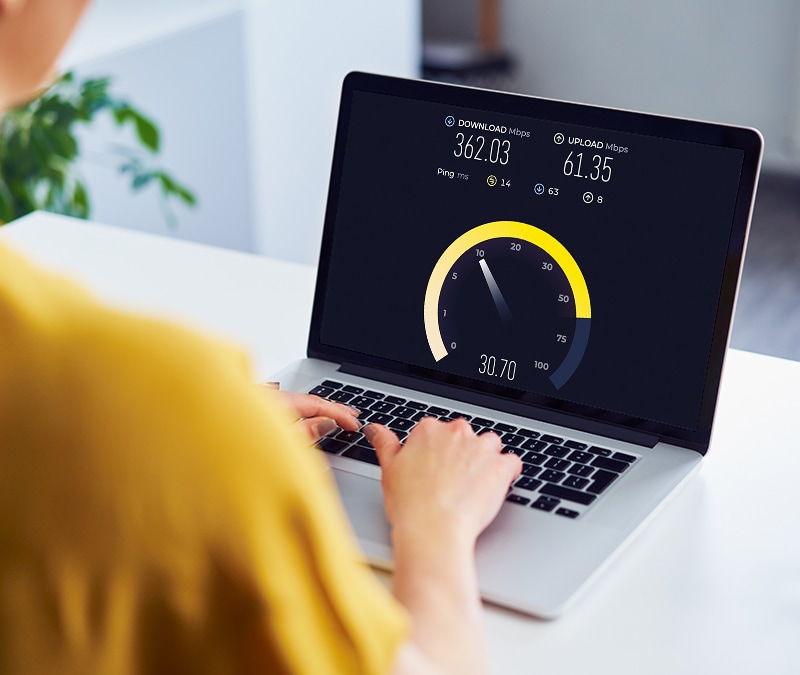
Download speed measures how fast files move to your device. It shows the rate of data transfer in megabits per second (Mbps). Browsing speed depends on how quickly web pages load and appear on screen.
Downloading a file is a steady flow of data. Browsing involves many small requests to servers. These requests include images, scripts, and text. Each must load separately, which affects speed.
How Speed Measurements Vary
Speed tests often focus on download and upload rates. These tests show peak performance for large files. Browsing speed tests are less common. They measure how fast a page fully loads.
Network delays, server response time, and browser efficiency affect browsing speed. A fast download rate does not guarantee quick page loading. These factors create the difference between download and browsing speeds.

Credit: www.reddit.com
Factors Affecting Browsing Speed
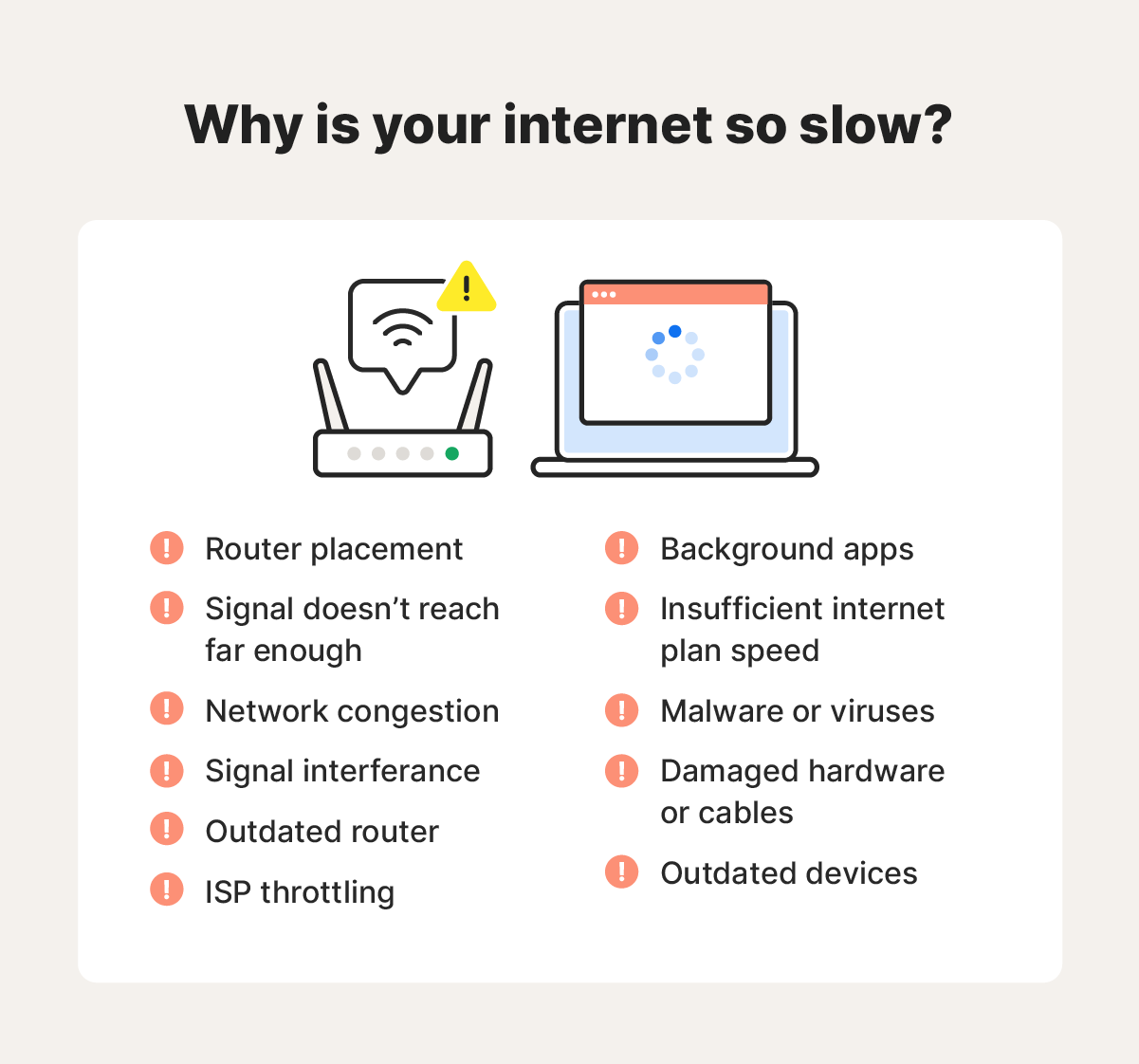
Browsing speed depends on many factors beyond just download speed. Your internet might download files fast but load web pages slowly. This happens because browsing involves multiple steps. Each step can add small delays that add up. Understanding these factors helps fix slow browsing issues.
Browser Performance Issues
Browsers use memory and processing power to load pages. Too many open tabs or old browser versions slow down performance. Extensions and plugins can also cause delays. Clearing cache and updating the browser improves speed. A light browser uses fewer resources and loads pages faster.
Dns Resolution Delays
DNS translates website names into IP addresses. Slow DNS servers delay this translation. This makes the browser wait before loading the page. Switching to faster DNS providers can reduce wait times. DNS caching also helps by remembering recent addresses.
Network Latency Impact
Latency is the time data takes to travel between devices. High latency causes slow page loading despite fast download speeds. It depends on distance to servers and network quality. Wired connections usually have lower latency than Wi-Fi. Reducing network congestion improves latency and browsing speed.
Server Response Times
Web servers must respond quickly to your requests. Slow servers delay page loading even with fast internet. Server load, location, and website design affect response time. Popular sites with heavy traffic can experience slowdowns. Choosing websites with optimized servers helps browsing speed.
Impact Of Network Configuration
Network configuration plays a big role in how fast your internet feels. Even with a high download speed, browsing can be slow. Settings in your router, Wi-Fi strength, and your internet provider’s rules can all affect this. Understanding these factors helps you spot the problem and fix it.
Router Settings And Firmware
Routers control how data flows in your home network. Old or wrong settings can slow browsing. Firmware is the software inside your router. Outdated firmware may cause problems. Updating it often improves speed and stability. Check your router’s settings for things like QoS, which can limit browsing speed. Resetting your router can also clear issues.
Wi-fi Signal Strength
Weak Wi-Fi signals make web pages load slowly. Distance from the router matters. Walls and furniture block the signal. Using 5GHz Wi-Fi gives faster speed but shorter range. 2.4GHz covers farther but is slower. Moving closer to the router or removing obstacles helps. A strong, steady Wi-Fi signal improves browsing speed.
Isp Throttling And Policies
Internet providers sometimes limit speeds for certain activities. This is called throttling. Browsing may be slowed while downloads stay fast. They may do this during busy times or after a data limit. Different plans have different rules. Check with your ISP if you notice slow browsing but fast downloads. Changing your plan or provider might help.
Role Of Background Processes
Background processes often affect how your internet feels during browsing. These processes run quietly on your device without your direct notice. They can use internet data and system power. This can slow down your browsing even if your download speed looks fast.
Apps Consuming Bandwidth
Some apps use internet data in the background. They update, sync files, or send notifications. This hidden data use takes up bandwidth. It leaves less for your web pages to load quickly. Streaming apps, cloud backups, and chat apps are common bandwidth users.
System Resource Usage
Your device’s CPU and memory can be busy with background tasks. These tasks may include system updates or security scans. High resource use slows down the browser’s ability to load pages. Even with fast internet, a busy system feels slow. Closing unused apps and checking system tasks helps improve browsing speed.
Troubleshooting Slow Browsing
Slow browsing can be frustrating, especially when download speeds seem fine. Many factors affect how quickly web pages load. Troubleshooting helps find and fix the cause.
Start by checking simple issues. These steps often solve browsing speed problems. Try them one by one for best results.
Clearing Cache And Cookies
Browsers store cache and cookies to load pages faster next time. Over time, these files can slow down browsing. Clear them regularly to improve speed.
Go to your browser settings, find privacy or history options, and clear cache and cookies. This action removes old data and lets pages load fresh.
Changing Dns Servers
DNS servers translate web addresses into IP addresses. Slow or unreliable DNS can delay page loading. Changing to a faster DNS may help.
Use public DNS services like Google DNS or Cloudflare DNS. Enter their addresses in your network settings to test if browsing speed improves.
Testing Different Browsers
Browser performance varies. Some browsers handle web pages better than others. Try opening the same website in different browsers.
If one browser is slow but others are fast, update or reinstall the slow browser. Switching browsers can sometimes solve browsing speed issues quickly.
Restarting Network Devices
Network devices like modems and routers can cause slow browsing if they have glitches. Restarting these devices clears temporary problems.
Turn off your modem and router. Wait for 30 seconds, then turn them back on. This simple step refreshes your connection and often speeds up browsing.
Credit: us.norton.com
Optimizing For Faster Browsing
Browsing speed depends on many factors beyond download speed. Optimizing your browser and network can improve page load times. Small changes make browsing smoother and faster.
Browser Extensions And Settings
Extensions add features but can slow browsing. Disable or remove unused extensions. Clear cache and cookies regularly to avoid slowdowns. Update your browser for better performance and security. Use simple themes and avoid heavy graphics.
Network Enhancements
Strong Wi-Fi signals help browsing speed. Place your router in a central spot. Use Ethernet for a stable connection. Change your DNS server to a faster option. Limit devices using the network simultaneously.
Regular Maintenance Tips
Restart your router and device often. Check for background apps consuming bandwidth. Run virus scans to remove malware. Keep your system updated with the latest software. Clean browser history and temporary files frequently.
Credit: us.norton.com
Frequently Asked Questions
Why Is My Download Speed Fast But Browsing Slow?
Browsing can be slow due to high latency or DNS issues, even if download speed is fast. Websites load many small files, which slows browsing. Download speed measures large file transfer, not website responsiveness.
Can Slow Browsing Be Caused By Browser Settings?
Yes, browser extensions, cache, or outdated versions can slow browsing. Clearing cache and disabling unnecessary extensions often improve speed. Updating your browser ensures better performance and security.
Does Wi-fi Signal Affect Browsing Speed Differently?
Weak Wi-Fi signals cause browsing delays despite fast download speeds. Browsing needs consistent connection quality for quick page loads. Stronger Wi-Fi improves both download and browsing speeds.
How Does Dns Affect Browsing Speed?
Slow DNS servers increase the time it takes to resolve website addresses. This delay causes slow page loading despite fast download speeds. Using reliable, fast DNS servers can speed up browsing.
Conclusion
Fast download speeds do not always mean fast browsing. Many factors can slow web pages, like browser issues or network settings. Checking your device and internet connection helps find the problem. Simple steps often improve browsing speed quickly. Stay patient and test different solutions.
A smooth browsing experience is possible with some effort and care. Keep your system updated and clear out unnecessary files. Small changes make a big difference in internet speed.