Why Does My Speaker Sound Distorted Suddenly

Have you ever been enjoying your favorite song or podcast when suddenly your speaker starts sounding distorted? It’s frustrating and can ruin the whole experience.
You might wonder, “Why does my speaker sound distorted suddenly? ” The good news is, you’re not alone, and this problem usually has simple causes. You’ll discover the common reasons behind that annoying crackling or buzzing sound and learn easy ways to fix it fast.
Keep reading, because your speakers deserve to sound as clear and crisp as they should.

Credit: www.reddit.com
Common Causes Of Speaker Distortion
Speaker distortion can happen suddenly and spoil your listening experience. Understanding the common causes helps fix the problem faster. Many factors can cause distorted sound from your speaker. Some are easy to fix, while others may need professional help. Here are the most frequent reasons why speakers sound distorted.
Overdriven Volume Levels
Playing audio too loud is a frequent cause of distortion. Each speaker has a maximum volume limit. Pushing beyond this limit makes the sound crackle or break. High volume strains the speaker parts, causing poor sound quality. Lowering the volume often clears up the distortion immediately.
Damaged Speaker Components
Speakers contain delicate parts like cones and coils. Physical damage to these parts leads to distorted sound. Damage can happen from drops, wear, or long use. Torn cones or burnt coils stop speakers from working properly. Inspecting and replacing damaged parts can restore clear sound.
Faulty Audio Connections
Loose or broken cables cause weak or distorted audio signals. Worn-out connectors or plugs may create crackling sounds. Bad connections interrupt the signal flow between devices and speakers. Checking and securing all cables often solves this issue quickly.
Interference And Signal Issues
External interference affects wireless and wired speakers. Nearby electronics, Wi-Fi routers, or power lines cause signal noise. Signal problems create buzzing or static sounds in speakers. Moving devices apart or changing channels can reduce interference. This improves sound clarity significantly.
Diagnosing The Problem
Distorted sound from a speaker can be frustrating. Finding the cause helps fix it faster. Start by checking simple things first. This saves time and avoids unnecessary repairs.
Testing With Different Devices
Try connecting your speaker to another device. Use a phone, tablet, or computer. If the distortion disappears, the original device might cause the problem. If the sound is still distorted, the speaker or cables may be the issue.
Checking Cables And Ports
Look closely at the cables and ports. Loose or damaged cables can cause poor sound. Unplug and replug all connections firmly. Swap cables with known working ones to test. Dirty or damaged ports also affect sound quality. Clean them gently or try another port.
Inspecting Speaker Hardware
Examine the speaker itself for visible damage. Check the speaker cone for tears or dents. Damaged parts cause sound distortion. Also, listen for rattling or unusual noises. These signs show hardware issues. If you see damage, professional repair might be needed.
Fixing Distorted Speaker Sound
Fixing distorted speaker sound can often bring your music or movies back to life. Distortion happens when the audio signal is unclear or interrupted. It can be caused by many small problems. Most of these problems are easy to solve at home. Follow simple steps to restore clear sound quickly.
Start with basic checks and move to more detailed fixes. Each step helps narrow down the cause. You can fix the issue without any special tools or skills. Clear sound improves your listening experience and protects your speaker from damage.
Adjusting Volume And Settings
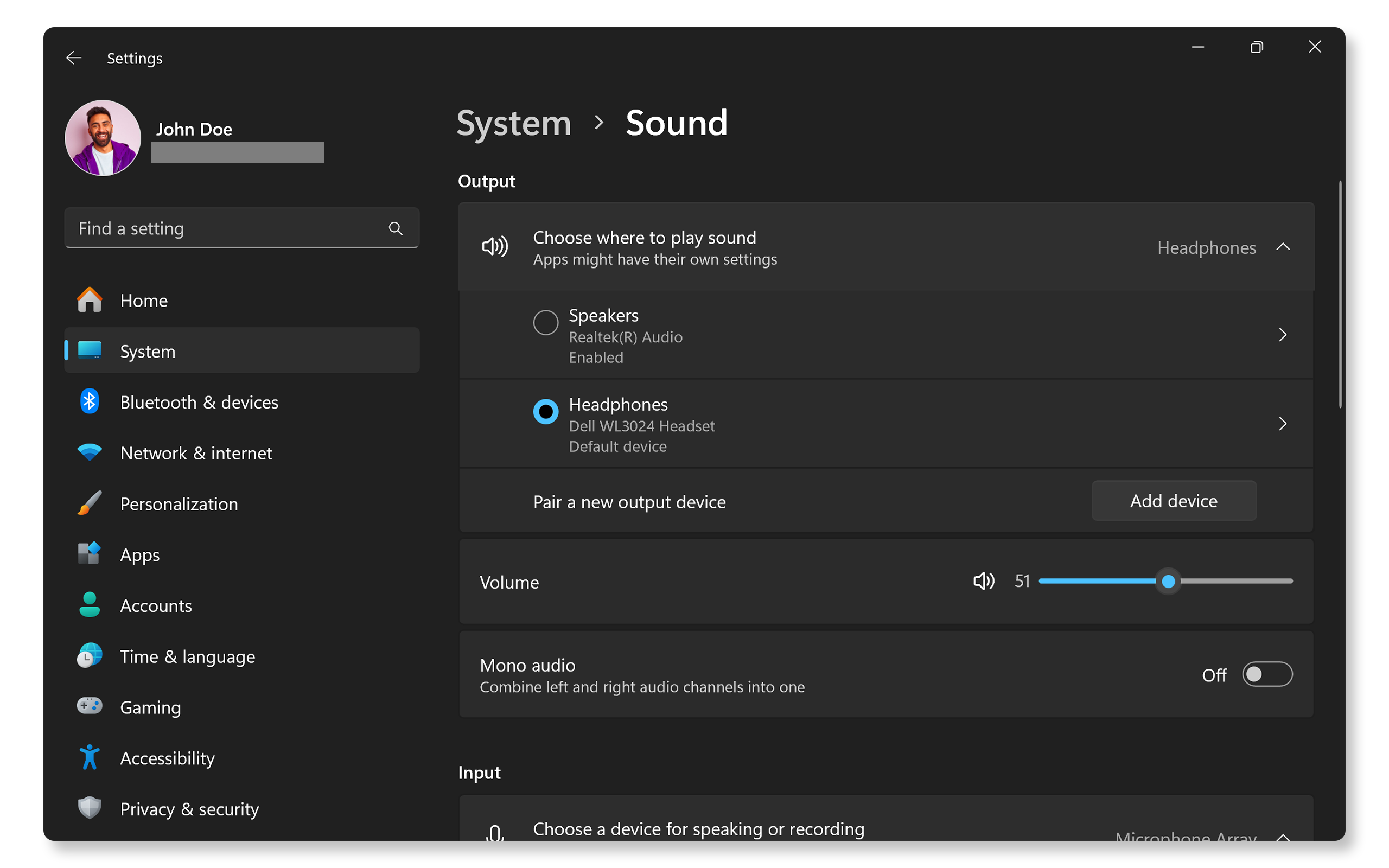
High volume is a common cause of distortion. Lower the volume to see if the sound improves. Check the equalizer or sound settings on your device. Reset them to default or reduce bass and treble levels. Sometimes, software updates can fix sound issues. Restart your device to refresh sound settings.
Replacing Or Repairing Cables
Damaged cables often cause poor sound quality. Check all cables connecting your speaker to the device. Look for frayed wires or loose connections. Replace any worn or broken cables. Use high-quality cables to ensure good signal flow. Secure connections firmly to avoid interruptions.
Cleaning And Maintaining Speakers
Dust and dirt can block speaker grills and cones. Gently clean your speakers with a soft brush or cloth. Avoid using water or harsh chemicals. Check for debris inside the speaker openings. Regular cleaning helps maintain clear sound and extends speaker life.
Credit: www.dell.com
Preventing Future Distortion
Distorted sound from speakers can ruin your listening experience. Preventing future distortion helps keep your audio clear and enjoyable. Taking simple steps protects your speakers and improves their life.
Proper Speaker Usage
Use your speakers within their limits. Avoid playing music too loud for long times. High volumes strain the speaker parts and cause damage. Keep volume levels moderate for cleaner sound. Also, place speakers on stable, flat surfaces. This prevents vibrations that may affect sound quality.
Regular Maintenance Tips
Clean your speakers regularly to remove dust and dirt. Use a soft cloth to wipe the surfaces gently. Check speaker wires and connections often. Loose or damaged wires can cause distortion. Store speakers in a dry place to avoid moisture damage.
Avoiding Common Mistakes
Do not connect speakers to incompatible devices. Incorrect connections may lead to poor sound or damage. Avoid sudden power cuts; they can harm speaker electronics. Never use damaged cables or adapters. Protect your speakers from drops and impacts. Treat them with care to keep sound clear.
When To Seek Professional Help
Sometimes, speaker distortion signals a bigger problem. Knowing when to seek professional help saves time and money. It also protects your speaker from further damage.
Signs Of Serious Damage
Distorted sound that stays even after volume changes is a warning. Crackling noises or buzzing sounds mean damage inside the speaker. Physical damage like dents or cracks also requires expert attention. If your speaker stops working suddenly, this is a serious sign. Unusual heat or smell coming from the speaker needs immediate repair.
Choosing A Repair Service
Pick a repair service with good reviews and experience. Check if they specialize in your speaker brand or model. Ask about warranty on repairs before handing over your speaker. A reliable service explains the problem clearly and offers a fair price. Avoid services that rush or do not provide a detailed diagnosis.

Credit: squarerepair.co.uk
Frequently Asked Questions
Why Does My Speaker Suddenly Sound Distorted?
Sudden speaker distortion usually happens due to damaged speaker cones, loose wires, or software glitches. Overdriving volume or low-quality audio files can also cause distortion. Checking connections and updating drivers often resolves this issue quickly.
Can Low Volume Cause Speaker Distortion?
No, low volume typically does not cause distortion. Distortion often results from high volume, damaged components, or poor audio sources. Keeping volume at a moderate level helps maintain clear sound quality.
How Do I Fix Distorted Speaker Sound?
To fix distortion, check all cable connections and update audio drivers. Test with different audio sources and lower volume levels. If problems persist, inspect speakers for physical damage or consider professional repair.
Does Bluetooth Affect Speaker Sound Quality?
Yes, Bluetooth can affect sound quality due to compression and interference. This may cause occasional distortion, especially at long distances or with low battery levels. Using high-quality Bluetooth devices reduces this issue.
Conclusion
Distorted speaker sound can be frustrating and confusing. Small issues like loose cables or dirt often cause it. Sometimes, the problem comes from the device playing the sound. Testing different devices helps find the cause fast. Regular cleaning and careful handling prevent damage.
Fixing or replacing parts might be needed. Knowing these tips saves time and money. Sound quality matters for great listening. Keep your speakers in good shape for clear sound. Simple steps can bring your music back to life.